


Key Takeaways
- Make use of LinkedIn by optimizing your profile with relevant keywords and keeping it updated to increase visibility.
- Engage actively on the LinkedIn platform by posting, commenting, and connecting to build a growing network.
- You’re more likely to attract opportunities if you consistently interact with your network and maintain a complete profile.
Understanding LinkedIn’s Algorithm and How to Leverage It
LinkedIn’s algorithm is like the secret sauce that determines whether your profile shines or sinks in the vast sea of professionals. If you’re serious about optimizing your job search or connecting with top prospects, you’ve got to crack this code with the LinkedIn search hacks. Here’s how you can leverage LinkedIn’s algorithm to your advantage.
How LinkedIn’s Algorithm Impacts Your Job Search
LinkedIn’s algorithm prioritizes content and profiles that are engaging, relevant, and up-to-date. Here’s a breakdown of how this LinkedIn search hack can impact your job search:
- Keywords: The algorithm scans for keywords in your profile that match the job title and descriptions recruiters are searching for. If you don’t have the right keywords, you’re likely missing out on opportunities.
- Engagement: Profiles that interact more, whether through comments, likes, or posts, get more visibility. Engaging with content related to your industry keeps you active in the algorithm’s eyes.
- Dwell Time: The longer someone spends on your profile, the better. This signals to LinkedIn that your profile is valuable, boosting your rankings in search results.
Tips to Leverage LinkedIn’s Algorithm :
- Use Relevant Keywords: Place them strategically in your headline, experience, and skills sections.
- Stay Active: Regularly like, comment, and share posts related to your industry.
- Optimize Content: Ensure your profile is well-organized and easy to read to increase dwell time.
LinkedIn Algorithm Factor | Impact on Job Search | How to Leverage It |
Keywords | Matches you with recruiter searches | Use industry-specific keywords in your profile |
Engagement | Increases profile visibility | Like, comment, and share content regularly |
Dwell Time | Boosts your profile in search results | Make your profile content engaging and easy to navigate |
How to Use Keywords in Linkedin Profile for Optimization?
Keywords is your golden ticket to getting noticed on LinkedIn. They’re not just for SEO, they’re how recruiters find you among millions of profiles. What’s better than incorporating them in your About Us section. But wait, what is the About section of LinkedIn 2026? Read on to know more about this LinkedIn search hack.
Steps to Optimize Your LinkedIn Profile with Keywords:
- Identify Key Job Titles and Descriptions:
- Look at job postings you’re interested in and note the recurring keywords.
- Incorporate Keywords Throughout Your Profile:
- Headline: Make sure your job title and skills are clear and keyword-rich.
- About Section: Integrate keywords naturally into your professional summary.
- Experience: Use keywords to describe your roles and achievements.
- Avoid Keyword Stuffing:
- Keep it natural. Overloading your profile with keywords can make it look spammy and hurt your chances.
Example:
- Before: “Experienced in managing projects.”
- After: “Experienced Project Manager skilled in Agile, Scrum, and team leadership.”
Top LinkedIn keywords include industry-specific terms, job titles, and skills relevant to your profession, such as “digital marketing,” “project management,” and “data analysis.” Incorporating keywords like “leadership,” “collaboration,” and “innovation” can also enhance your profile’s visibility in search results. Using these keywords strategically in your profile summary, work experience, and skills sections can improve your chances of being discovered by recruiters and potential connections. If you’re wondering how to optimize LinkedIn profile in 2026, the key lies in strategies aligned with what recruiters are searching for today.
Recommended by LinkedIn: Tips to Get Noticed by Recruiters
LinkedIn loves to recommend profiles that are complete, active, and optimized. Here’s how you can get that coveted “Recommended by LinkedIn” status and catch the eye of recruiters.
Tips to Get Noticed by Recruiters using this LinkedIn search hack:
- Complete Your Profile:
- Fill out every section, including skills, experience, and education. A complete profile is more likely to be recommended.
- Engage Regularly:
- Like, comment, and share posts. The more you interact, the more LinkedIn pushes your profile to the forefront.
- Use the “Open to Work” Feature:
- Signal to recruiters that you’re actively looking. This puts your profile in a special category that recruiters can easily filter for.
- Optimize Your Headline and Summary:
- Use keywords that are popular in your industry and describe what you do clearly and concisely.
Tip | Benefit | Action |
Complete Your Profile | Increases chances of being recommended | Fill out all sections of your LinkedIn profile |
Engage Regularly | Boosts visibility | Interact with industry-relevant content |
Use “Open to Work” | Alerts recruiters you’re actively job searching | Turn on the “Open to Work” feature |
Optimize Headline and Summary | Ranks higher in recruiter searches | Use relevant keywords in the summary and headline |
QUICK TIP!
LinkedIn has over 900 million accounts globally, making it a powerful platform for networking and job hunting.
LinkedIn Hacks to Optimize Your Profile for Better Search Results
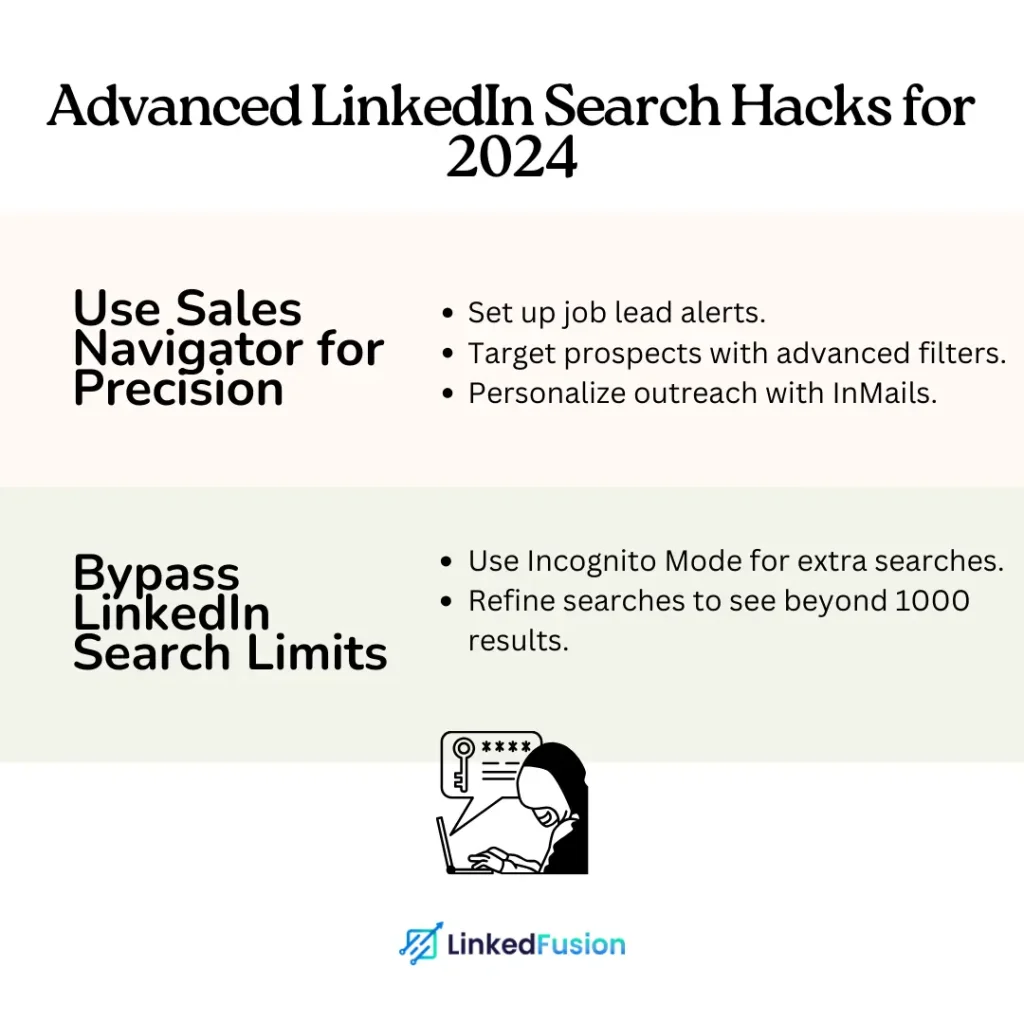
Optimizing your LinkedIn profile isn’t just about looking good; it’s about being found by the right people. Whether you’re job searching or building connections, these LinkedIn search hacks will help you make your profile stand out.
Before diving into advanced strategies, make sure you’ve got the basics covered. A solid foundation is key to getting noticed.
- Crafting a Keyword-Rich Job Title
Your job title is one of the first things recruiters see. Make sure it’s packed with relevant keywords that align with the jobs you’re targeting.- Example
- Before: “Marketing Specialist”
- After: “Marketing Specialist | Digital Marketing | SEO Expert | Content Strategist”
- Using the LinkedIn Search Bar to Refine Your Profile
The LinkedIn search bar isn’t just for finding jobs; it’s a tool to see how you rank. Type in your desired job title and see which profiles pop up. Analyze their keywords and tweak your profile accordingly.
- Crafting a Keyword-Rich Job Title
2. How to Update LinkedIn Profile: Simple 2026 Tips
- How to Get Attention from Recruiters with Your Headline
Your headline is prime property on your LinkedIn profile. It should not only state what you do but also grab attention.
- Tips:
- Use action words like “Driving,” “Leading,” or “Transforming.”
- Include your unique value proposition or key achievements.
- Leveraging LinkedIn’s “Open to Work” Feature
This feature is a game-changer for job seekers. It signals to recruiters that you’re actively looking, making it easier for them to find you.
- How to Enable:
- Go to your profile, click on “Open to,” and select “Finding a new job.”
- Add job titles, locations, and job types you’re interested in.
3. Explore Topics and Features to Optimize Your Profile
LinkedIn is constantly rolling out new features. Staying on top of these can give you an edge over the competition.
- Little-Known LinkedIn Search Hacks for Profile Optimization
Some LinkedIn features fly under the radar but can be incredibly useful for optimizing your profile.- Tip: Use the “Featured” section to highlight your best work, such as blog posts, certifications, or portfolio pieces.
- How “Others Also Viewed” Can Help You Find Prospects
The “Others Also Viewed” feature shows you similar profiles to yours. This is a goldmine for identifying potential prospects or even understanding what your competitors are doing.How to Use:
- Visit a competitor’s profile and scroll down to “Others Also Viewed.”
- Analyze these profiles for inspiration and see how you can differentiate yourself.
LinkedIn Search Hacks to Find and Connect with Recruiters
Finding and connecting with recruiters on LinkedIn is an art. These LinkedIn search hacks will help you zero in on the right recruiters and make a lasting impression.
4. How to Use LinkedIn Search Filters to Find the Right Job
LinkedIn’s search filters are powerful tools that can help you narrow down your job search and find exactly what you’re looking for.
- LinkedIn Search Hacks for Finding Recruiters
- Use Filters Wisely: Filter by location, industry, and company to find recruiters who specialize in your field.
- Keyword Search: The LinkedIn search feature allows users to find people, jobs, companies, and content by entering relevant keywords. It includes advanced filters such as location, industry, and connection level, enabling more precise results tailored to specific needs. Additionally, users can save searches and set up alerts for new results, streamlining their networking and job search efforts.
- Using Boolean Search on LinkedIn to Narrow Down Results
Boolean search allows you to mix and match keywords in a way that refines your search results.Example Searches:
AND: “Marketing AND Recruiter” (find profiles with both terms)OR: “Marketing OR Sales Recruiter” (find profiles with either term)NOT: “Recruiter NOT Agency” (exclude certain terms)
Boolean Operator | Function | Example |
AND | Includes all terms | “Marketing AND Recruiter” |
OR | Includes any of the terms | “Marketing OR Sales Recruiter” |
NOT | Excludes specific terms | “Recruiter NOT Agency” |
5. Connecting with Recruiters : Best Practices for 2026
The “Also Viewed” feature isn’t just for browsing—it can be a useful tool in any job search.
- Using “Others Also Viewed” to Find Similar Job Opportunities
This LinkedIn search hack feature shows profiles similar to the ones you’re viewing, helping you discover more job opportunities.
Tips:- Use this feature to find additional companies or recruiters who might be hiring.
- Compare your profile with others to see where you can improve.
- Exploring “Recommended by LinkedIn” Connections
LinkedIn’s recommendations are based on your activity and connections. Here’s how to make the most of this LinkedIn search hack:- Tips:
- Regularly check your “Recommended for You” section.
- Reach out to these connections with a personalized message, explaining how you can add value.
Wondering how to get 1000 connections on LinkedIn? Start by engaging with suggested profiles daily, and be consistent in networking with people in your industry.
6. Leveraging LinkedIn’s “Also Viewed” Feature for Job Search
Once you’ve found the right recruiters, it’s time to make that connection. Here’s how to do it effectively.
- Sending Effective Connection Requests to Recruiters
Your connection request is your first impression—make it count. So, is it easy to get 500 connections on LinkedIn? I would say yes. Read on the tips below to know more:- Tips:
- Personalize your message. Mention why you’re interested in connecting.
- Keep it short and to the point.
- Highlight any mutual connections or common interests.
An important question many ask is, ‘What is the LinkedIn 30000 limit?’ This platform allows you to have up to 30,000 connections. Once you reach this limit, people will only have the option to follow you, and you won’t be able to send any more connection requests.
- Engaging Recruiters Through Comments on Their Posts
Engaging with recruiters’ content is a subtle yet effective way to get on their radar.Tips:- Leave meaningful comments that add value to the LinkedIn conversation.
- Avoid generic comments like “Great post!” Instead, share your perspective or ask a question.
DID YOU KNOW?
Profiles that are fully completed and regularly updated are 40% more likely to be viewed by recruiters.
DID YOU KNOW?
Advanced LinkedIn Job Hacks and Prospecting
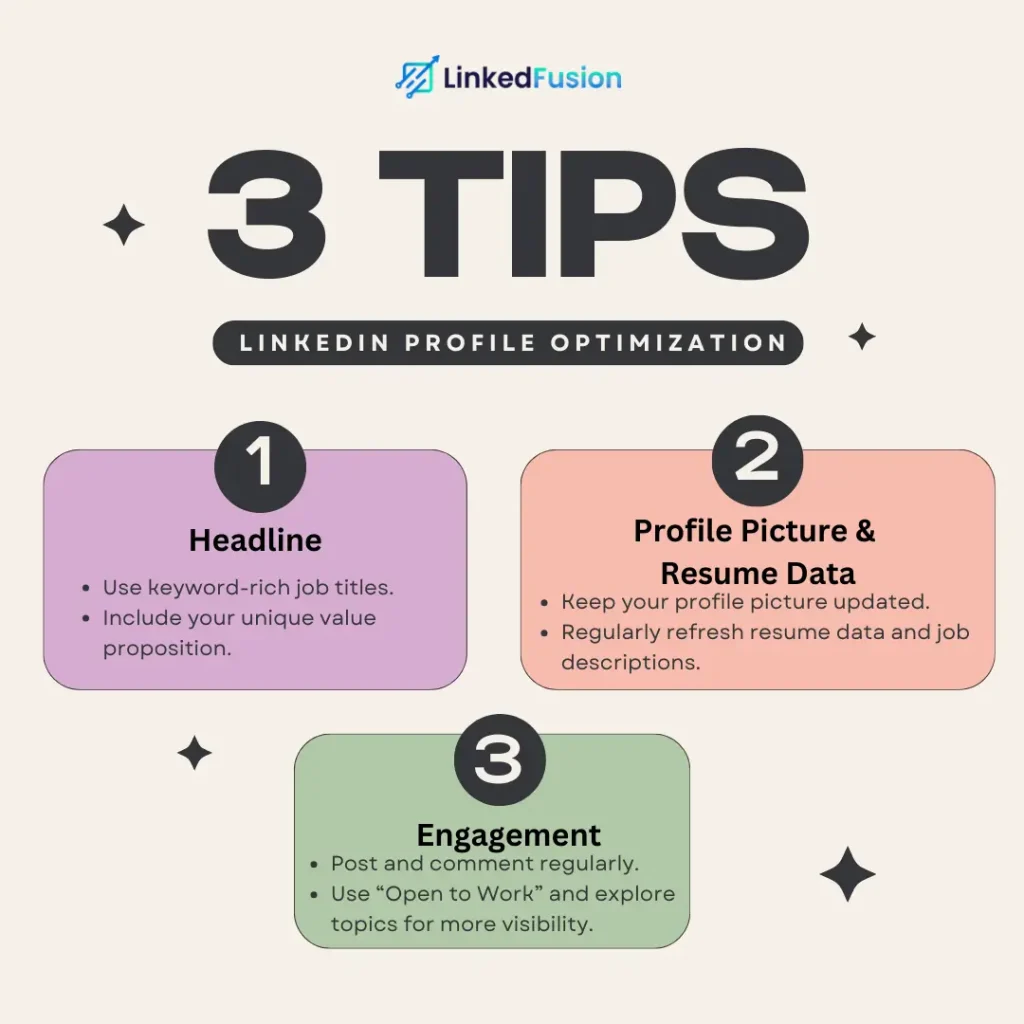
When it comes to job hunting or prospecting on LinkedIn, knowing how to use advanced tools like Sales Navigator and bypassing LinkedIn’s search limits can give you a serious edge. Let’s dive into some LinkedIn search hacks that will help you maximize your LinkedIn strategy in 2026.
7. Advanced LinkedIn Search Techniques with Sales Navigator
Sales Navigator is like LinkedIn on steroids. It offers advanced search options and filters that can make your job search or prospecting efforts way more effective.
- Setting Up Alerts in Sales Navigator for Job Leads
One of the best features of Sales Navigator is the ability to set up custom alerts for job leads. This ensures you’re always in the loop when new opportunities that match your criteria pop up.- How to Set Up Alerts:
- Go to Sales Navigator and enter your search criteria.
- Use filters like location, industry, and job title to narrow down your search.
- Click “Save Search” and turn on alerts for real-time notifications.
Pro Tip: Set up multiple alerts for different job titles or industries you’re interested in. This keeps your options open and ensures you don’t miss out on any opportunities.
- How to Use LinkedIn Sales Navigator to Connect with Prospects
Sales Navigator is also a powerhouse for connecting with potential clients or partners. It allows you to zero in on the exact type of prospects you want to connect with.- Steps to Connect with Prospects:
- Use the “Lead Builder” feature to search for prospects using advanced filters like company size, seniority level, and keywords.
- Save leads to organize your outreach efforts.
- Use personalized InMails to reach out—mention common connections or shared interests to break the ice.
8. Bypassing LinkedIn Search Limit: 2026
LinkedIn limits how many searches you can perform, especially if you’re a heavy user. But don’t worry—there are methods to bypass these restrictions and keep your searches flowing.
- How to Get Around LinkedIn’s Commercial Use Limit
If you’ve hit LinkedIn’s commercial use limit, you might be blocked from performing additional searches. Here’s how you can get around with this LinkedIn search hack:- Use Incognito Mode: Open an incognito or private browsing window to reset your search count temporarily.
- Leverage Google: Use Google’s site search feature. Type
site:linkedin.comfollowed by your search terms (e.g.,site:linkedin.com “marketing manager” New York). This allows you to search LinkedIn profiles without using LinkedIn’s search bar.
- Increase LinkedIn Profile Search Results Beyond 1000
LinkedIn caps search results at 1000, which can be frustrating if you’re looking for something specific. Here’s a LinkedIn search hack to see more:- Refine Your Search: Break down your search into smaller, more specific criteria. Instead of searching broadly, use filters like location, current company, or connections to narrow it down.
- Use Sales Navigator: Sales Navigator gives you entry to more search results and better filtering options, making it worth the investment if you’re serious about networking or job hunting.
9. LinkedIn Job Search Hacks: Simple Optimization Tips
One question might always pop into your mind: How do I optimize my LinkedIn profile for search?
Sometimes, the simplest tricks can make a huge difference in your job search. Here are a few easy-to-implement LinkedIn search hacks that will optimize your job search and help you find the exact opportunities you’re looking for.
- Finding the Exact Information You Need with LinkedIn’s Search Filters
LinkedIn’s search filters are your best friend when it comes to job hunting. They allow you to sift through tons of profiles and job listings to find exactly what you need.- Use Filters to Narrow Down Your Search:
- Location: Find jobs in your desired area.
- Industry: Target specific industries where your skills are most relevant.
- Experience Level: Look for roles that match your experience.
- Using LinkedIn Alerts to Stay Updated on New Job Postings
LinkedIn alerts can save you a ton of time by notifying you when new jobs that match your criteria are posted.- How to Set Up Job Alerts:
- Go to the job search page on LinkedIn.
- Enter your desired job title and location.
- Toggle the “Job Alert” switch to on.
Pro Tip: Set up alerts for multiple job titles and locations to maximize your chances of finding the perfect role.
| LinkedIn Hack | Benefit | Action |
| Search Filters | Find the most relevant job listings | Use filters like location, industry, and experience level |
| Job Alerts | Stay updated on new job postings | Set up alerts for various job titles and locations |
LinkedIn Hacks to Optimize Networking and Growing Your Network
Networking is key to growing your career or business, and LinkedIn is the perfect platform to expand your network. Here are some LinkedIn search hacks to help you make the most of it.
10. How to Use LinkedIn to Find and Connect with Hiring Managers
Connecting with hiring managers directly can give you a huge advantage in your job search. Here’s how to find and reach out to them on LinkedIn.
- Leveraging Your Existing Connections for New Opportunities
Your existing LinkedIn connections can be a goldmine for new opportunities. Here’s how to leverage them:- Check Mutual Connections: Use LinkedIn’s “Connections” tab to see who you know who might introduce you to a hiring manager.
- Ask for Introductions: Don’t be shy—reach out to your connections and ask confidently if they can introduce you to someone at a company you’re interested in.
- Engaging Users with High-Quality Content to Grow Your Network
Posting and engaging with content is one of the best ways to grow your network and attract the attention of hiring managers.- Post Regularly: Share industry insights, achievements, or relevant articles to keep your profile active and engaging.
- Comment Thoughtfully: Engage with posts from hiring managers or industry leaders by leaving thoughtful comments that add value to the discussion.
11. Creating a Content Strategy to Boost Your LinkedIn Presence
A solid content strategy can boost your LinkedIn presence, helping you attract recruiters and prospects alike.
- Posting Content on LinkedIn to Attract Recruiters and Prospects
The content you post on LinkedIn’s platform can help position you as an industry expert, which in turn attracts recruiters and prospects.- Tips for Posting: Share articles, insights, and updates that are of some relevance to your industry. Use images, GIFs, and videos to make your posts stand out in the feed.
- How to Get More Comments on Your LinkedIn Posts
Comments increase the visibility of your posts. Here’s a LinkedIn search hack on how to encourage more engagement:- Ask Questions: End your LinkedIn posts with open-ended questions to encourage discussion.
- Engage with Commenters: Reply to comments on your LinkedIn posts to keep the conversation going and show you’re active on the platform.
| Content Strategy | Benefit | Action |
|---|---|---|
| Posting Regularly | Increases visibility and engagement | Share relevant articles, insights, and updates |
| Encouraging Comments | Boosts post visibility | Ask questions and engage with your commenters |
12. The Power of LinkedIn’s “Explore Topics” Feature
- How to Use LinkedIn’s “Explore Topics” to Find Relevant Connections and Stay on Top of Industry Trends
“Explore Topics” is a feature that helps you discover new content and connections based on your interests.
How to Use:- Navigate to the “Explore Topics” section on LinkedIn.
- Choose topics that are relevant to your industry or career goals.
- Engage with content and connect with people who share your interests.
- Engaging with “Top Voice” Influencers in Your Industry
“Top Voice” influencers are LinkedIn’s recognized leaders in various industries. Engaging with their content can boost your visibility.
Tips for Engaging:- Follow “Top Voice” influencers in your industry.
- Like and comment on their posts to increase your visibility in their network.
- Share their content with your insights to position yourself as a thought leader.
| LinkedIn Feature | Benefit | Action |
|---|---|---|
| Explore Topics | Find relevant content and connections | Choose topics and engage with related content |
| Top Voice Influencers | Boost visibility by engaging with industry leaders | Follow, comment, and share their content |
LinkedIn Hacks for Lead Generation and Recruiters
Recruiters and sales professionals can also benefit from LinkedIn’s powerful search and networking tools. Here are some hacks specifically for them.
13. How Recruiters Can Optimize LinkedIn for Finding Top Talent
Recruiters need to know how to use LinkedIn’s search tools to find the best candidates efficiently.
- Using LinkedIn’s Advanced Search for Qualified Leads
LinkedIn’s advanced search allows recruiters to narrow down their candidate pool with precision.- Tips for Advanced Search:
- Use filters like experience, location, and current company to find the most qualified leads.
- Set up alerts and save searches to stay updated on new candidates.
- Leveraging Sales Navigator for Efficient Lead Generation
Sales Navigator isn’t just for sales—it’s a powerful tool for recruiters too.- How to Use:
- Use Sales Navigator’s advanced filters to find candidates who match your job descriptions.
- Set up lead lists to organize your outreach efforts.
| Recruiter Tool | Benefit | Action |
|---|---|---|
| Advanced Search | Find the best candidates efficiently | Use filters and save searches for later |
| Sales Navigator | Organize and optimize candidate outreach | Create lead lists and set up alerts |
14. How to Optimize Your LinkedIn Profile for Recruiter Searches
Even recruiters need to optimize their profiles to attract the right candidates and connections.
- Updating Your Choices for Better Search Visibility
Keep your profile up-to-date with your latest roles and responsibilities to improve your visibility in search results.
Tips for Updating:- Regularly update your job title, skills, and experience to reflect your current position.
- Use relevant keywords in your summary and headline.
- Making Use of LinkedIn’s New Features for 2026
LinkedIn constantly rolls out new features—stay ahead by incorporating them into your profile and strategy.
How to Stay Updated: LinkedIn Updates Tips:- Keep an eye on LinkedIn’s updates and experiment with new features as they roll out.
- Use new tools like LinkedIn Stories or LinkedIn Live to engage with your network in creative ways.
| Optimization Strategy | Benefit | Action |
|---|---|---|
| Regular Profile Updates | Keeps you visible in search results | Update job titles, skills, and experience |
| Using New LinkedIn Features | Engages your network with fresh content | Experiment with LinkedIn Stories, Live, etc. |
Conclusion
Mastering LinkedIn isn’t just about creating a profile; it’s about leveraging LinkedIn to build a strong professional brand. Whether or not you’re actively looking for a job, using these LinkedIn search hacks will make you more likely to attract opportunities. I’m not saying it’s simple, but with the right strategies, LinkedIn can impact your career growth.
Remember to post to LinkedIn regularly, share your best content, and keep your profile picture and resume data up to date. Would you be open to exploring LinkedIn offers like Sales Navigator? These tools can help you connect with top prospects and grow your network.
Click on your profile daily to ensure it aligns with your goals. By maintaining an active presence and continuously updating your entire profile, you can maximize LinkedIn’s potential and stay ahead in your career or business.
FAQ's
How can I make sure recruiters see my LinkedIn profile?
Optimize your headline with relevant keywords, use the “Open to Work” feature, and engage with industry content. Keep your entire profile updated to boost visibility.
What’s the best way to connect with hiring managers on LinkedIn?
Send personalized connection requests mentioning their company name and why you’re interested. Follow up by engaging with their posts to build a relationship.
How often should I update my LinkedIn profile?
Update your profile whenever you take on a new role or achieve a milestone. Regularly review your resume data and profile picture to keep them current.
What are some advanced search techniques on LinkedIn?
Use Boolean operators like AND, OR, and NOT to refine searches. Sales Navigator offers even more advanced filtering options to find the right leads.
How can I grow my LinkedIn network effectively?
Connect with industry peers, repost and engage with content, and publish valuable insights regularly. A growing, engaged network increases your visibility.