

Having reliable LinkedIn automation tools is essential for optimizing your workflow. If you’ve decided to cancel your Expandi subscription, this guide will walk you through the process step by step. Additionally, we’ll introduce LinkedFusion as a more reliable and robust alternative for Expandi.
Steps to Cancel Your Expandi Subscription
To cancel your Expandi subscription, follow these steps to ensure your subscription is successfully terminated:
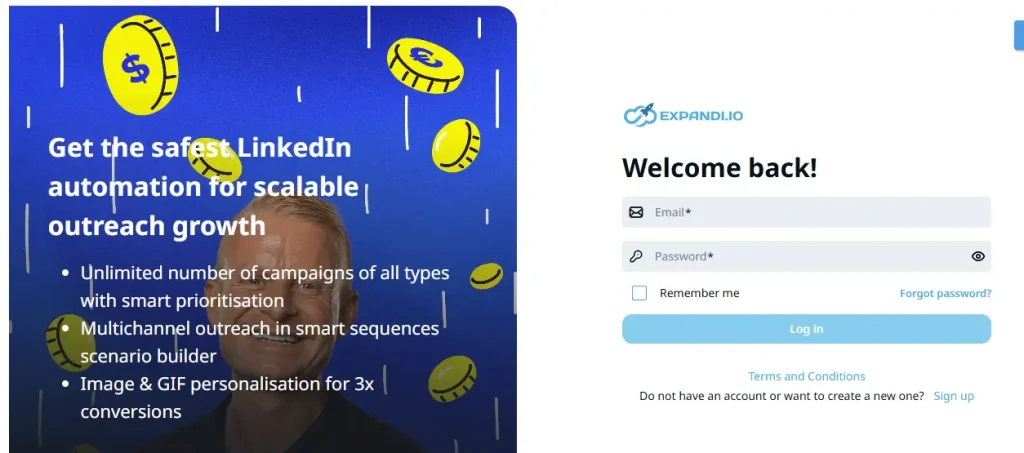
1. Log in to Your Expandi Account
- Start by logging into your Expandi account using your registered email and password.
2. Navigate to the Subscription Settings
- Go to the Workspace Settings section in your account.
- Click on Manage Subscriptions & Seats.
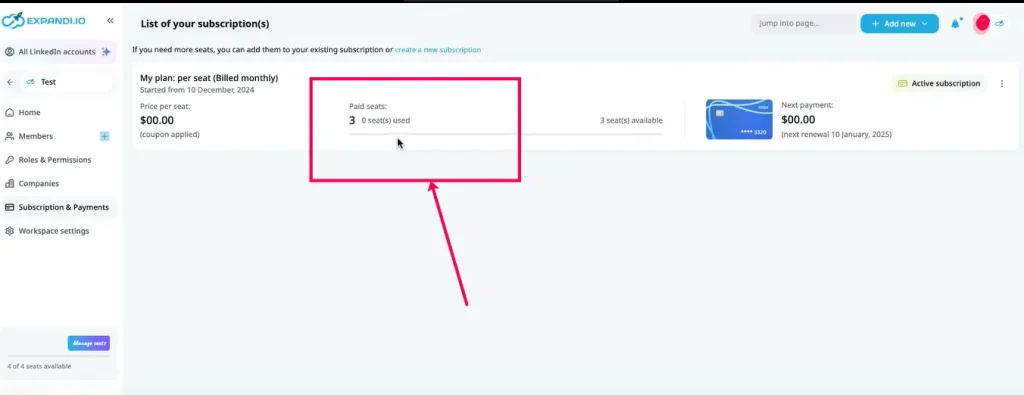
3. Select the Subscription You Want to Cancel
- Locate the active Expandi subscription you wish to cancel.
- Click on the Expandi Cancel Subscription button.
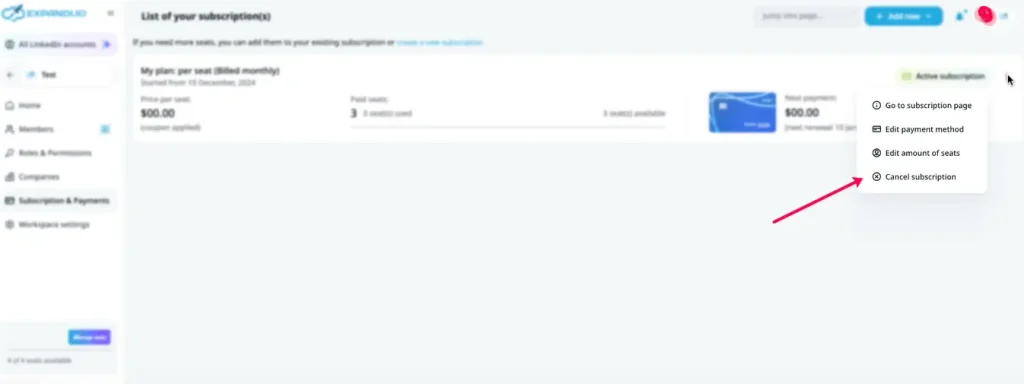
4. Confirm Cancellation
- Follow the prompts reflected on the screen to confirm your cancellation.
- Make sure you receive a confirmation email to verify that your active subscription has been canceled successfully.
What Happens After You Cancel?
Once you cancel your Expandi subscription:
- Your LinkedIn account will remain active until the end of the current billing cycle.
- You will lose access to premium features after the subscription period ends.
- Ensure you export any important data before the cancellation date.
Upgrade to a Better Alternative of Expandi: LinkedFusion
If you’re looking for an alternative to Expandi, consider LinkedFusion. It presents a user-friendly interface, advanced features like personalized messaging and campaign analytics, and affordable pricing plans to optimize your LinkedIn outreach efforts. Here are the reasons for your selection:
- User-Friendly Interface: Simplify your LinkedIn outreach campaigns with a more clunky builder that takes a tech wizard to setup, even simply Sequence.
- Advanced Features: Enjoy features like personalized messaging, campaign analytics, team collaboration, and Inbound Campaigns, which take your Engagement on LinkedIn to the next level by leveraging AI and increasing your reach through commenting on relevant posts.
- Affordable Pricing: LinkedFusion offers competitive pricing plans to suit your needs.
FAQs About Canceling Expandi Subscription
Log in to your Expandi account, navigate to Workspace Settings, and select Manage Subscriptions & Seats. From there, click on Cancel Subscription and follow the prompts.
Expandi does not currently offer a pause option. You can cancel and resubscribe later if needed.
Your account will remain active until the end of the billing cycle, after which premium features will be disabled.
Expandi does not typically offer refunds for canceled subscriptions.
Go to Workspace Settings in your Expandi account and click on Manage Subscriptions & Seats to update your subscription preferences.
Conclusion
Canceling your Expandi subscription is easy, unlike their overall complex tool. You made the right choice by cancelling Expandi. Now you can upgrade to better LinkedIn Automation tool – LinkedFusion