

Finding prospects on LinkedIn is easy. Managing them efficiently as your outreach grows is the real challenge.
Many sales professionals, recruiters, agencies, and business development teams rely on spreadsheets or multiple tools to track prospects. As prospect lists grow, follow-ups become difficult to manage, data becomes scattered, and valuable opportunities can be missed.
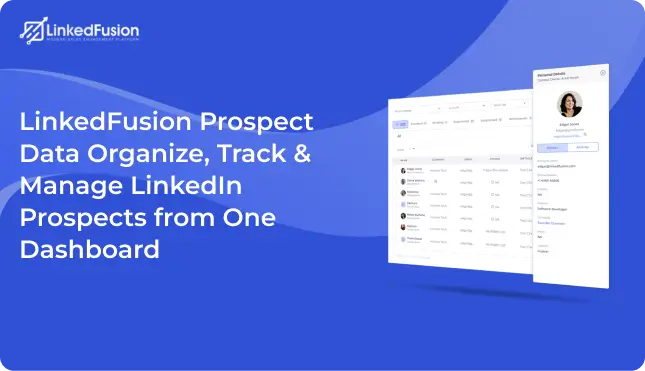
LinkedFusion’s Prospect Data feature solves this problem by providing a centralized prospect management dashboard where users can organize, track, filter, export, and manage LinkedIn prospects from one location.
Whether you’re managing hundreds or thousands of prospects, LinkedFusion helps keep your outreach organized and scalable.
What is LinkedFusion Prospect Data?
LinkedFusion Prospect Data is a LinkedIn prospect management solution that helps users organize, segment, track, and manage LinkedIn leads through a centralized dashboard. It enables teams to assign prospects to outreach sequences, apply tags, export lead data, and monitor prospect activity while maintaining a structured prospect database.
What is LinkedIn Prospect Management?
LinkedIn prospect management is the process of organizing, tracking, segmenting, and nurturing potential customers discovered through LinkedIn.
Effective prospect management helps sales teams maintain accurate prospect databases, track engagement, automate follow-ups, and move leads through the sales pipeline efficiently.
Without a structured prospect management process, businesses often struggle with missed opportunities, inconsistent outreach, and poor lead visibility.
What is Prospect Data in LinkedFusion?
Prospect Data serves as the central hub for all LinkedIn prospects collected through your outreach campaigns.
Instead of switching between spreadsheets, LinkedIn tabs, and CRM platforms, users can access prospect information, sequence assignments, tags, outreach status, and lead activity from a single dashboard.
This centralized approach helps teams stay organized and improve prospect management efficiency.
Key Features of LinkedFusion Prospect Data
Centralized Prospect Database
Store and manage all LinkedIn prospects in one place. Access prospect details, campaign information, tags, and sequence assignments without switching between multiple platforms.
Advanced Search & Filtering
Quickly find prospects using powerful search and filtering options. Filter leads based on tags, outreach sequences, campaign activity, prospect status, or specific criteria.
Sequence Assignment Management
Assign prospects directly to outreach sequences and automate engagement workflows. Manage multiple campaigns while maintaining consistent communication.
Tag-Based Prospect Organization
Use custom tags to segment prospects by industry, job title, campaign type, lead quality, or business category.
One-Click Lead Export
Export prospect data instantly for CRM imports, reporting, analytics, or team collaboration.
Prospect Status Tracking
Monitor prospect activity and outreach progress from a centralized dashboard. Identify active, pending, and completed prospects easily.
Benefits of Using a LinkedIn Prospect Management Tool
Save Time on Lead Management
Centralize prospect information and eliminate the need for manual spreadsheets and scattered data sources.
Improve Follow-Up Consistency
Track every prospect and ensure that important follow-ups are never missed.
Better Prospect Segmentation
Organize leads using tags, filters, and outreach sequences for more targeted campaigns.
Increase Team Productivity
Provide teams with a shared workspace for managing LinkedIn leads and outreach activities.
Improve Conversion Rates
Stay organized and engage prospects at the right time with the right message.
Why Use Prospect Data Instead of Spreadsheets?
| Feature | Spreadsheets | LinkedFusion Prospect Data |
|---|---|---|
| Lead Organization | Manual | Centralized Dashboard |
| Prospect Search | Limited | Advanced Search & Filters |
| Sequence Management | Not Available | Built-In |
| Lead Export | Manual Process | One-Click Export |
| Team Collaboration | Difficult | Easy |
| Prospect Tracking | Limited Visibility | Real-Time Tracking |
As prospect databases grow, spreadsheets become difficult to manage. LinkedFusion provides a structured and scalable alternative for LinkedIn lead management.
Common LinkedIn Prospect Management Challenges
Managing LinkedIn prospects manually often creates several challenges:
- Losing track of valuable prospects
- Managing multiple outreach campaigns simultaneously
- Organizing prospects across industries and job roles
- Tracking follow-ups manually
- Exporting prospect data for CRM systems
- Maintaining accurate lead records
- Managing growing prospect databases
LinkedFusion Prospect Data helps eliminate these challenges through centralized prospect management and workflow automation.
LinkedIn Prospect Management Best Practices
Segment Prospects Effectively
Use tags and filters to organize prospects based on industry, role, company size, or campaign type.
Assign Prospects to Relevant Sequences
Ensure each prospect enters the most appropriate outreach workflow for better engagement.
Track Prospect Activity Regularly
Monitor prospect status and campaign participation to identify opportunities quickly.
Maintain a Clean Prospect Database
Regularly update prospect information and remove outdated records.
Export and Sync Lead Data
Keep CRM systems updated with accurate prospect information through exports and integrations.
Follow Up Consistently
Successful sales prospecting depends on timely and personalized follow-up communication.
How Prospect Data Helps Sales Teams
Stay Organized at Scale
Manage hundreds or thousands of LinkedIn prospects without relying on spreadsheets or manual processes.
Improve Team Collaboration
Provide sales teams with a shared prospect database that improves visibility and coordination.
Increase Outreach Efficiency
Reduce administrative work through advanced filtering, tagging, and sequence management.
Improve Lead Visibility
Track prospect engagement and outreach activity from a single dashboard.
Who Should Use LinkedFusion Prospect Data?
B2B Sales Teams
Manage LinkedIn leads and improve prospecting workflows.
SDR Teams
Organize prospect databases and streamline outreach campaigns.
Lead Generation Agencies
Manage large prospect lists across multiple clients.
Recruiters
Track candidates and organize recruitment outreach.
Business Development Teams
Maintain consistent prospect engagement and follow-up.
Founders & Entrepreneurs
Build targeted prospect databases without complex CRM systems.
Why Choose LinkedFusion Prospect Data?
Unlike spreadsheets and disconnected prospecting tools, LinkedFusion provides a dedicated LinkedIn prospect management platform designed for modern sales teams.
With advanced search, filtering, tagging, outreach sequence management, lead exports, and real-time prospect tracking, teams can manage LinkedIn leads more efficiently while improving productivity and sales performance.
Related LinkedFusion Features
To maximize your LinkedIn outreach efforts, Prospect Data works seamlessly with:
- LinkedFusion Outreach Sequences
- LinkedFusion Inbox
- LinkedFusion CRM Integrations
- LinkedFusion Virtual Assistants
- LinkedFusion Account Warmup
Together, these features create a complete LinkedIn lead generation and prospect management ecosystem.
FAQs
LinkedIn prospect management is the process of organizing, tracking, segmenting, and nurturing LinkedIn leads throughout the sales cycle.
Using a centralized prospect management tool like LinkedFusion allows you to categorize leads, assign tags, manage sequences, and monitor engagement.
Yes. LinkedFusion supports one-click lead exports for reporting, CRM imports, and analytics.
Yes. Prospects can be assigned directly to outreach sequences from the dashboard.
Absolutely. It is designed for sales professionals, SDRs, recruiters, agencies, and business development teams.
A prospect database is a centralized collection of potential customers and their information used for sales and outreach activities.
Tags help organize prospects by industry, campaign, role, lead quality, or other criteria for better targeting.
Yes. LinkedFusion provides visibility into prospect status, outreach participation, and campaign activity.
Using a dedicated LinkedIn prospect management platform like LinkedFusion helps keep leads organized and improves follow-up consistency.
Yes. Prospect data can be exported and used within CRM systems for further sales management.
Ready to Organize Your LinkedIn Prospects?
Managing LinkedIn prospects should not require spreadsheets, manual tracking, or disconnected tools.
LinkedFusion Prospect Data gives sales teams, recruiters, agencies, and business development professionals a smarter way to manage LinkedIn lead generation and prospect databases. With centralized prospect management, advanced filtering, tagging, sequence assignment, and lead exports, teams can improve outreach efficiency and maintain complete visibility into their sales pipeline.
If you’re looking for a better way to manage LinkedIn leads, streamline sales prospecting, and build a scalable prospect database, LinkedFusion Prospect Data provides the tools needed to stay organized and grow consistently.