
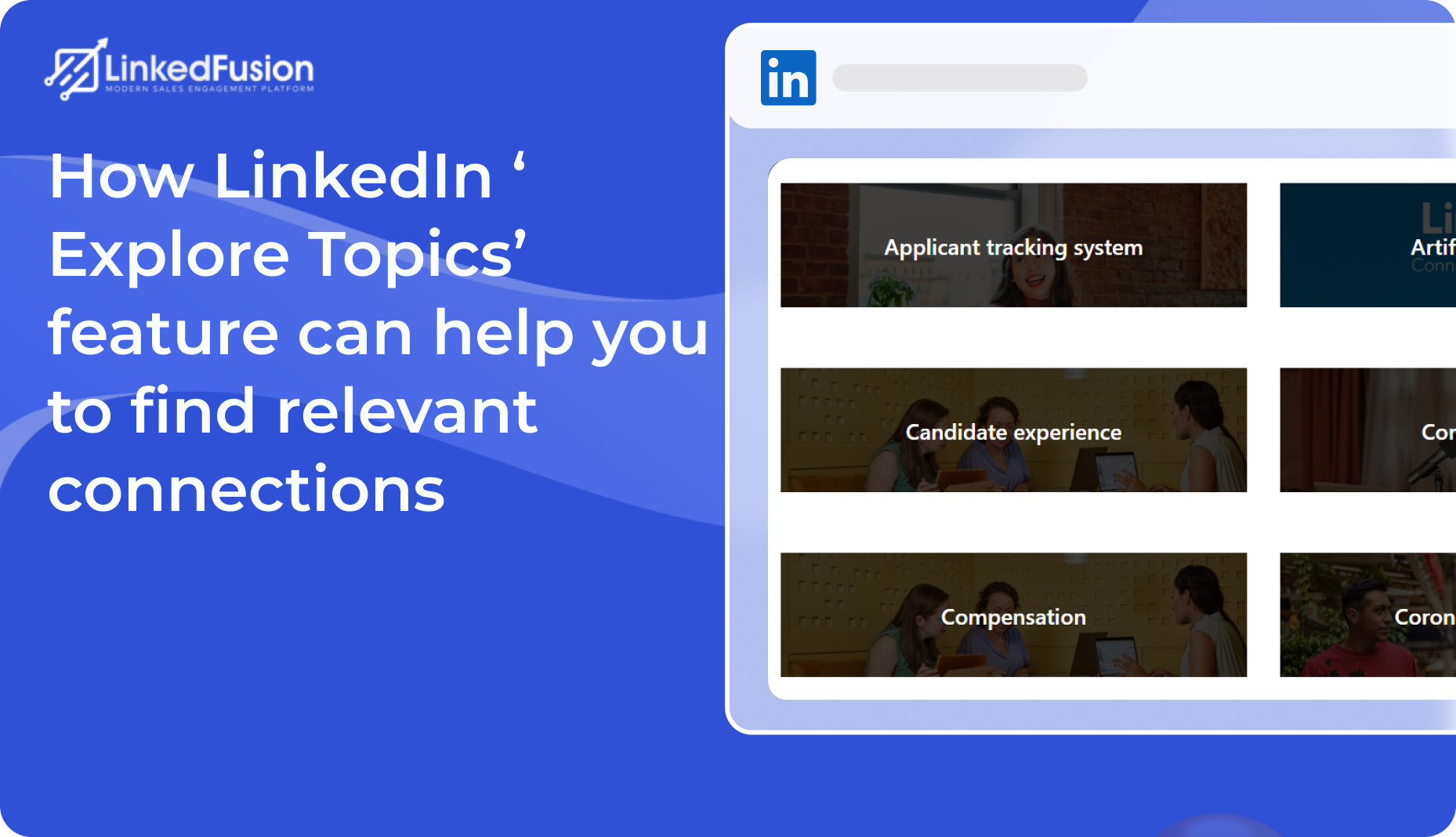

LinkedIn is more than just a digital Rolodex—it’s a living, breathing community of professionals across every imaginable field. But how does LinkedIn help professionals connect with each other? It helps people connect through smart algorithms, shared activity, content discovery features, and direct outreach through InMail or connection requests. On the contrary, with over a billion users globally, building the right network on LinkedIn requires more than just sending random connection requests.
This is where LinkedIn’s “Explore Topics” feature becomes a game-changer. It helps users discover curated content, conversations, and creators across specific subject areas—and more importantly, find and connect with people who truly align with their interests or goals.
What Is LinkedIn’s “Explore Topics” Feature?
LinkedIn’s Explore Topics is a content discovery tool that categorizes professional conversations into a myriad of subjects, from global trends like artificial intelligence and sustainability to niche areas like remote team management and product marketing. When you click on a topic, LinkedIn curates a page filled with popular posts, articles, influencers, and discussions that reflect the pulse of that subject matter.
Key Elements of Explore Topics:
- Curated Content & Discussions: View popular posts, insightful articles, and emerging trends.
- Top Influencers: Identify thought leaders and experts who consistently contribute to discussions.
- Trending Hashtags & Newsletters: See related hashtags and sign up for newsletters that keep you updated with the latest in that space.
- Active Engagement: Follow the pulse of communities that are passionately driving conversations and innovation.
This intelligent sorting helps you zero in on people whose insights, expertise, and interests align with your professional goals.
Reddit users say LinkedIn’s “Explore Topics” feature is a great starting point for content ideas, helping spark relevant posts that align with trending industry conversations.
Where to Find the “Explore Topics” Feature on LinkedIn?
One question will always pop into your mind after you log in to your LinkedIn account, how do I see relevant connections on LinkedIn? You can access Explore Topics in multiple ways to view connections in the following ways:
1.) From the “My Network” Tab
- Go to your LinkedIn homepage.
- Click on the “My Network” tab on the top navigation bar.
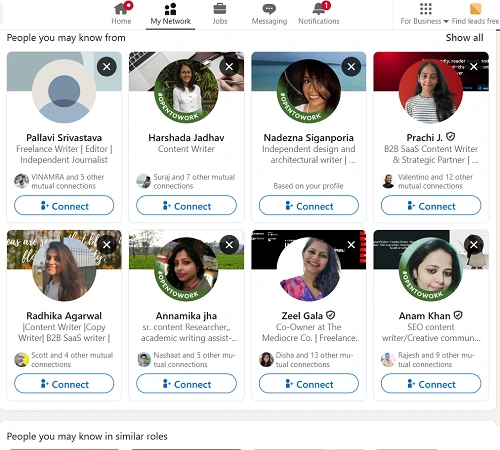
- Scroll to find “Explore with LinkedIn” or “Follow Fresh Perspectives.”
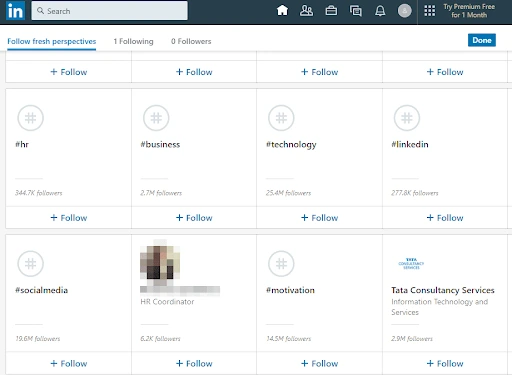
Here, you’ll see a carousel of topic cards like Leadership, Technology, Entrepreneurship, and more.
2.) Via Hashtags or Content Feeds
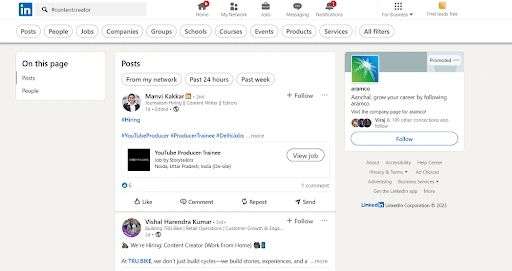
When you search for or click on a hashtag (e.g., #contentcreator), LinkedIn may show related topics and trending creators in that space.
Why Explore Topics Is Crucial for Finding Relevant Connections?
Let’s face it… blindly sending connection requests based on job titles or company names rarely results in meaningful engagement. What you really want is intentional networking: connecting with professionals who share your interests, challenges, or industry focus.
Reddit users suggest using LinkedIn’s “Explore Topics” to discover timely, high-engagement post ideas that align with your niche and audience interests.
Explore Topics Helps in 4 Critical Ways
1. Surface People Who Are Actively Engaging with Your Interests
LinkedIn’s algorithm promotes posts within each topic based on engagement. That means the people you see posting, commenting, and sharing under a topic are often active contributors or thought leaders.
Real-world scenario:
If you’re a startup founder exploring the Entrepreneurship topic, you might find other founders, investors, and startup mentors sharing real stories and actionable advice. These aren’t just passive users; they’re potential collaborators, advisors, or even investors.
By commenting on their content or sending a personalized connection request, you immediately open the door to a higher-quality conversation.
2. Discover New Influencers and Niche Communities
Even if you’ve followed major influencers, there are likely hundreds of niche creators and community leaders you’ve never heard of. Explore Topics helps uncover these hidden gems.
For example:
- In Remote Work, you might find solo entrepreneurs building personal productivity systems.
- In Product Marketing, you may discover mid-level marketers sharing playbooks from their campaigns.
These micro-communities are often more responsive and engaged than large influencer audiences and a great place to build authentic relationships.
3. Create Context for Personalized Outreach
Sending a blank or generic connection request often gets ignored. But when you find someone through Explore Topics, you already have context.
Here’s a simple connection request template:
“Hi [Name], I came across your post in the [Topic] section on LinkedIn. I really appreciated your insights on [specific point]. I’d love to connect and continue the conversation!”
This message shows relevance, intent, and a shared interest, dramatically improving your acceptance rate.
4. Attract the Right People by Aligning Your Content with Trending Topics
Once you’ve identified what’s trending in your industry, you can start creating content aligned with those topics. When you post using those hashtags or themes, your content appears in those same Explore pages.
This has a double benefit:
- You get visibility in front of professionals already following the topic.
- You attract more connection requests from people genuinely interested in your content.
Example: If you’re a sales professional posting about cold outreach under #salesstrategy, your content may show up for anyone exploring the “Sales” topic, positioning you as a thought leader.
So, how does LinkedIn suggest connections?
LinkedIn uses a combination of algorithms and user data to recommend connections. These suggestions are based on:
- Mutual connections
- Shared work or educational backgrounds
- Industry and location
- Similar interests or profile keywords
- Engagement patterns (e.g., people who’ve viewed the same content)
While these automatic suggestions can be helpful, they often miss the deeper context of why someone might be a valuable connection. That’s where tools like Explore Topics provide an advantage, helping you uncover connections based on shared passions, conversations, and community engagement, not just resume-level data.
Pro Tips to Get the Most from Explore Topics
1. ) Follow the Topic Hashtags
Each topic will suggest relevant hashtags. Follow them to get more focused content in your feed—and more opportunities to engage with new people. Make sure you subscribe to relevant hashtags to keep your feed fresh.
2. ) Subscribe to Newsletters Under Each Topic
Topic pages often feature newsletters by industry leaders. Subscribing gives you direct access to top voices and keeps you engaged with the community.
3. ) Comment Before Connecting
Before sending a request, drop a thoughtful comment on the person’s post. It increases the likelihood they’ll recognize and accept your request.
4. ) Use LinkedIn Search Filters + Topics
Search for people using job titles + topic keywords, and filter by location, industry, or connections. This gives you an ultra-targeted list for outreach.
Reddit users say LinkedIn’s “Explore Topics” feature is a go-to method for spotting trending themes, alongside tools like Google Trends and audience feedback to stay relevant.
Leveraging LinkedFusion for Contact Scraping
While exploring topics helps you pinpoint the right communities and professionals, manually tracking and connecting with everyone can be time-consuming. That’s where LinkedFusion, a LinkedIn automation tool, comes into play.
What Is LinkedFusion?
LinkedFusion is designed to enhance your networking efficiency by scraping contact information and details from LinkedIn profiles based on your search criteria. Once you’ve identified a target audience via Explore Topics, you can use LinkedFusion to extract valuable contact details, such as names, positions, and profile links in bulk.
How It Works:
1. Set Your Parameters:
After identifying a niche or topic of interest on LinkedIn, define your ideal contact criteria (e.g., industry, job role, company size).
2. Scrape Contact Data:
LinkedFusion can gather data from the profiles of professionals actively engaging in the topic. This allows you to quickly compile a targeted list for further outreach.
3. Streamline Your Networking:
With a curated contact list in your kitty, you can either import these contacts into your CRM for personalized follow-ups or use them to plan and execute strategic connection campaigns.
Important Consideration:
While automation tools like LinkedFusion can dramatically boost your efficiency, always ensure you’re compliant with LinkedIn’s usage policies and best practices when scraping or automating contact engagement.
So, if you are wondering, how do you get good connections on LinkedIn? Tools like LinkedFusion can help you identify and reach out to targeted professionals more efficiently, based on topic relevance and behavioral signals.
The Combined Power of Explore Topics and LinkedFusion
- Efficient Targeting: Use Explore Topics to spot the right network hubs and LinkedFusion to capture the essential details of key professionals in those hubs.
- Engage Before Scraping: Before automating your outreach, engage organically on posts to build familiarity with your target group.
- Enhanced Outreach: Build a well-researched and tailored outreach strategy supported by data-driven insights.
- Networking Scalability: Automate the early stages of contact collection so you can invest more time in relationship building and engagement through networking groups.
- Respect Privacy & Policies: Familiarize yourself with both LinkedIn’s and LinkedFusion’s guidelines to ensure your activities stay compliant.
Conclusion
LinkedIn’s Explore Topics feature is more than just a content browser; it’s a strategic networking engine. By exploring curated topics, you uncover:
- High-value conversations
- Emerging influencers
- Communities aligned with your goals
- And most importantly, relevant people to connect with
Whether you’re growing your personal brand, expanding your sales pipeline, or simply learning from the best in your field, Explore Topics puts you in the right circles, without the noise.
Start today. Pick a topic, read a few posts, comment, and connect. Your next opportunity could be hiding in a conversation thread waiting to be explored.