

Your LinkedIn profile URL is more than just a link. It’s the fastest way for people to reach your LinkedIn profile, connect with you, and judge how professional your presence looks online. Whether someone finds you through Google, sees your LinkedIn URL on your resume, or clicks a link in your email signature, your profile URL plays a major role.
In this complete LinkedIn tutorial, you’ll learn what a LinkedIn profile URL is, how to find your LinkedIn profile URL, how to customize your LinkedIn profile URL on desktop and mobile app, and how to use real examples to improve visibility. This guide will help you optimize your LinkedIn profile and make your profile easier to share.
A LinkedIn profile URL is the public web address of your LinkedIn public profile. LinkedIn automatically creates a default URL, but you can customize it into a clean and professional format. A customized public profile URL improves visibility on Google, supports personal branding, and makes your profile easier to share across resumes, messages, and websites.
What Is a LinkedIn Profile URL?
A LinkedIn profile URL is the unique link that takes people directly to your profile. Every LinkedIn profile has one, even if you never customized it.
This profile url is part of your public profile, which means anyone can view it unless you restrict visibility. Recruiters, clients, and partners often use this link to find and connect with you quickly.
Having a clean linkedin url helps people remember you and builds trust in your professional LinkedIn presence.
What Does a Default LinkedIn URL Look Like?
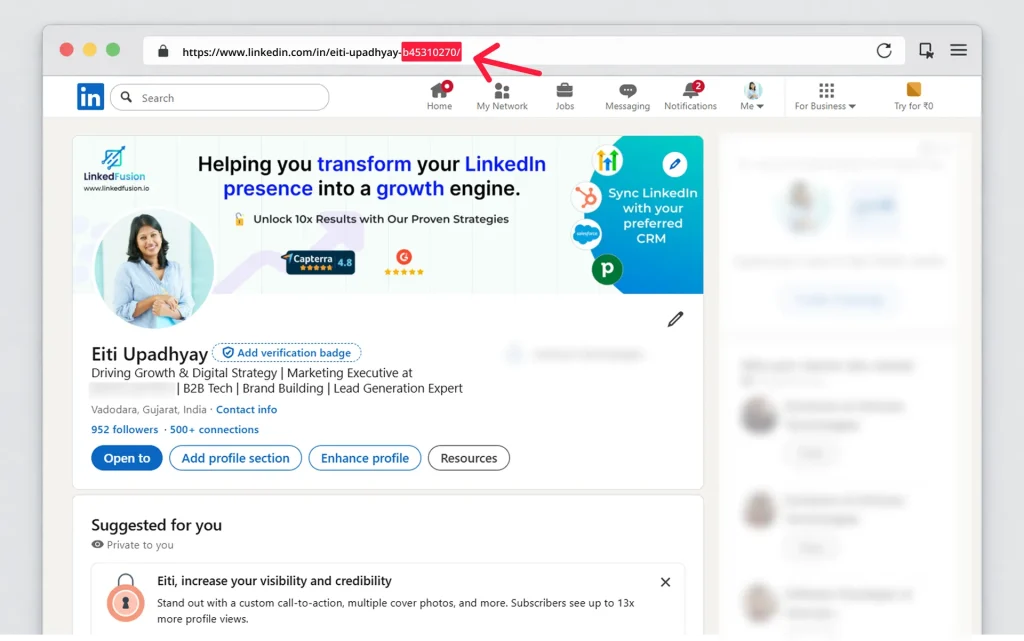
When creating a LinkedIn account, LinkedIn assigns a default URL that usually looks like this:
https://www.linkedin.com/in/name-surname-83947293
This type of url on LinkedIn works, but it’s not ideal. Random numbers make the profile easier to forget and harder to share verbally or visually.
A customized url removes unnecessary characters and helps create a unique profile url that looks professional everywhere.
How to Find Your LinkedIn Profile URL on Desktop
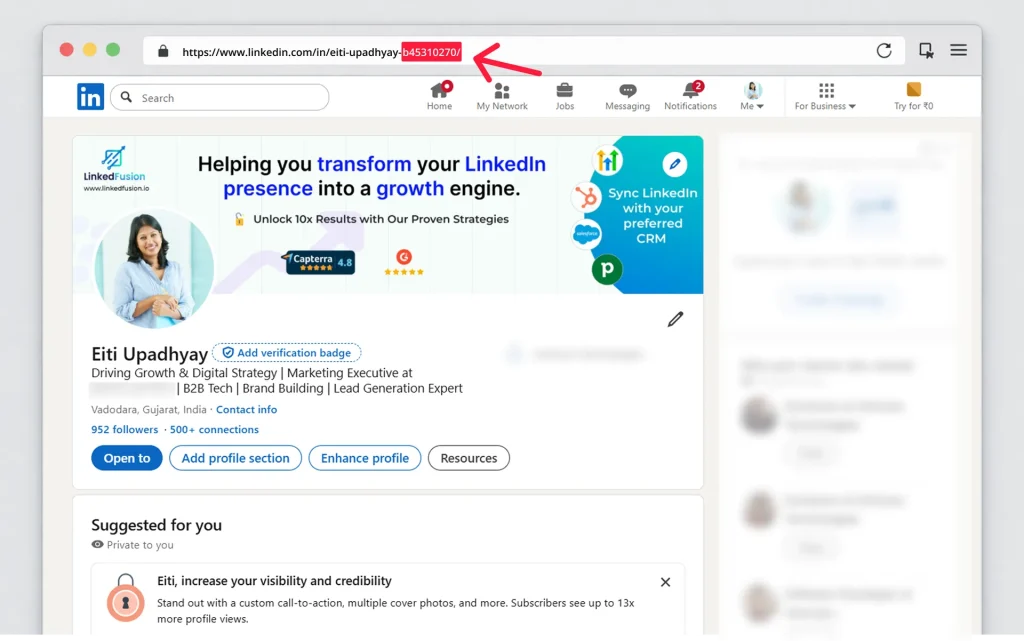
To find your LinkedIn profile URL on desktop:
- Log in and access your profile
- Open your profile page
- Look at the address bar to see the url
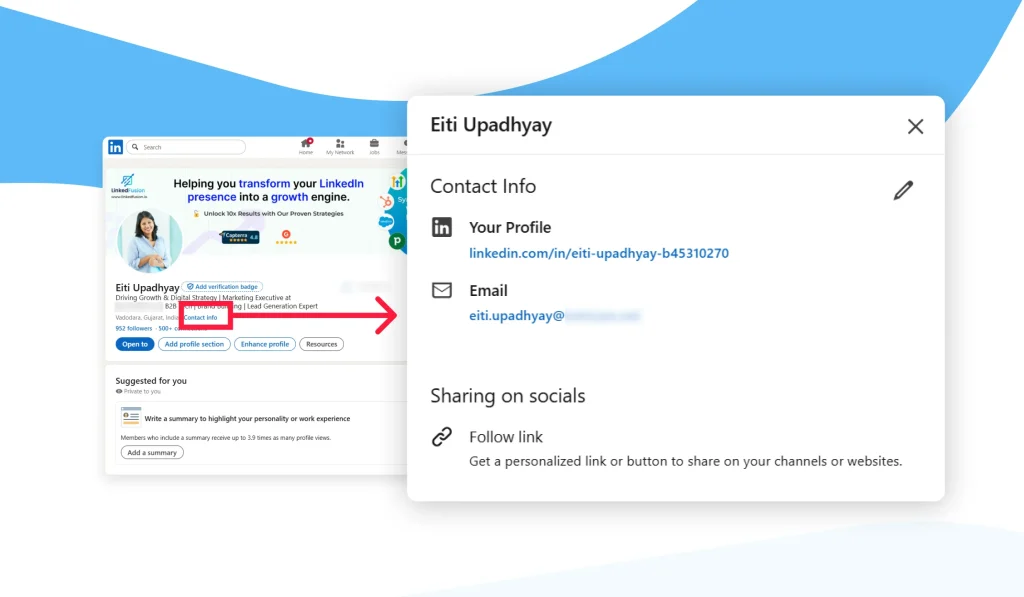
- Or click “Contact info” to copy the link
This is the easiest way to find and copy your profile link.
How to Find Your LinkedIn Profile URL on Mobile App
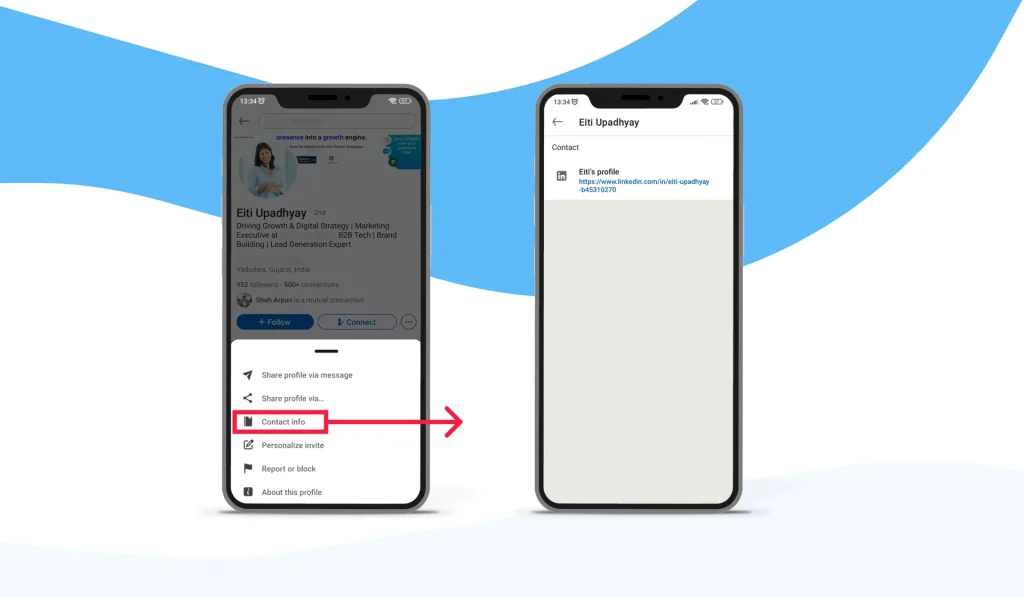
To find my LinkedIn URL using the mobile app:
Open LinkedIn on your mobile device
- Tap your profile photo
- Tap “View profile”
- Tap three dots → “Contact info”
- Copy your LinkedIn
This method is useful when you need to quickly share your profile at events or meetings.
What Is a LinkedIn Public Profile and Public Profile URL?
Your LinkedIn public profile is the version of your profile visible outside LinkedIn. The public profile url is indexed by Google and other search engines.
You can edit public profile visibility to control what information appears publicly. Keeping your linkedin public profile url active helps people to find your profile through search engines.
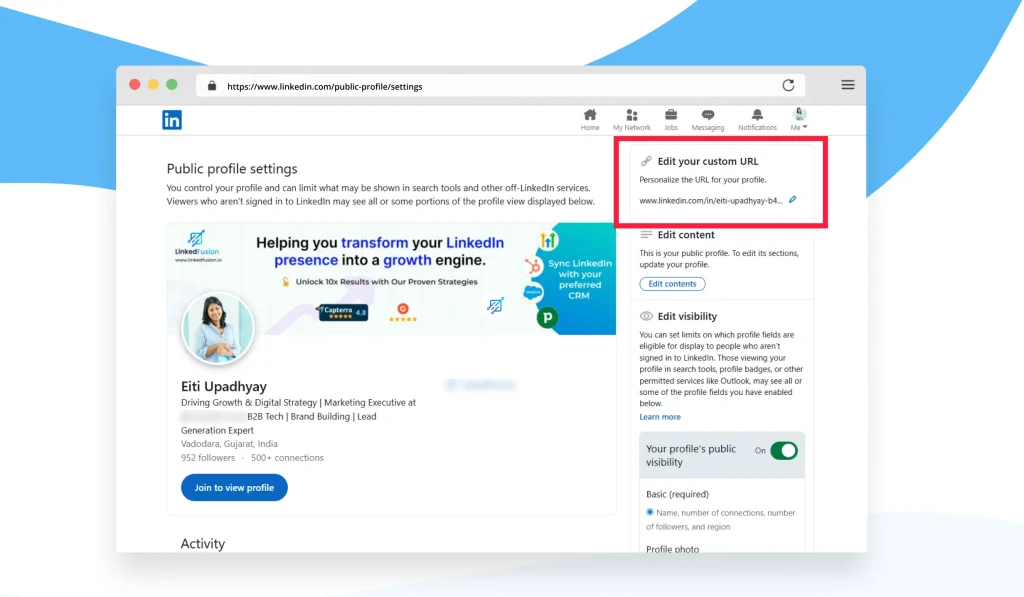
How to Customize Your LinkedIn Profile URL (Step-by-Step)
LinkedIn allows you to customize your LinkedIn URL so it looks clean, professional, and easy to remember. Instead of using the default URL with numbers, you can create a custom URL that reflects your name or brand.
Steps to customize your LinkedIn profile URL:
- Open your LinkedIn profile
- Click Edit public profile & URL
- Click the pencil icon next to your URL
- Enter your customized LinkedIn profile URL
- Save changes
This creates a custom linkedin url that reflects your name or brand. Keep it simple and readable. When you customize your LinkedIn URL, keep it simple and readable. Avoid symbols or unnecessary words. A well-structured URL helps people to find your profile faster and makes it easier to share.
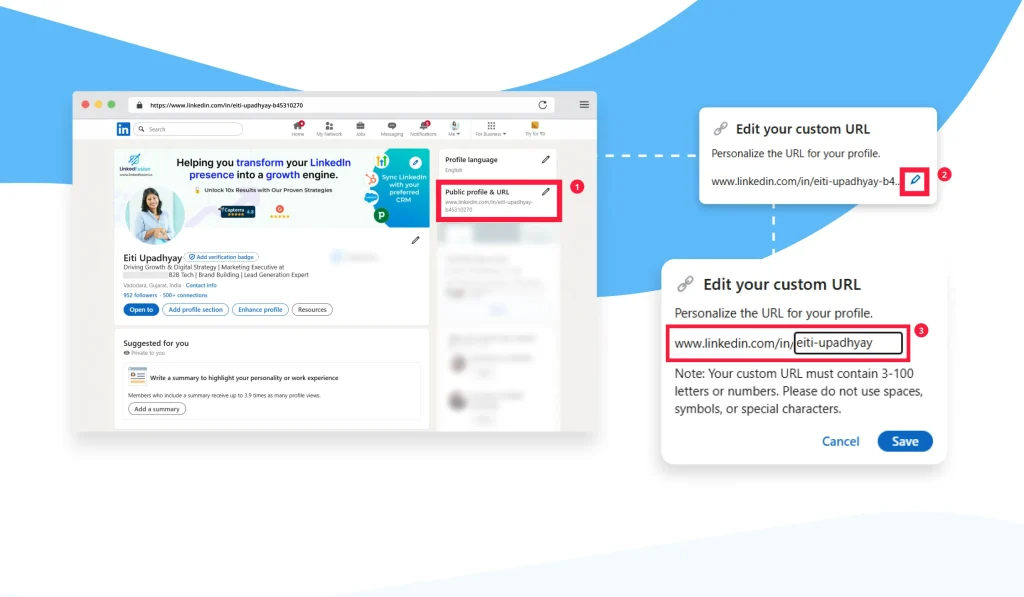
How to Change Your LinkedIn Profile URL Safely
You can change your LinkedIn URL, but LinkedIn limits how often you can do it. You can change it only a few times within six months, and only one url at a time is active.
When you change your url, your previous url or old url may stop working. Always update links where you’ve shared your profile, including url on your resume or website.
Key reasons to change your LinkedIn profile URL:
- Professional appearance: A clean URL looks better on resumes and websites
- Easier to share: A short profile url is easier to copy and remember
- Better visibility: Customized URLs support search engine visibility
- Stronger personal brand: Aligning your URL with your name or role builds trust
If you plan to use LinkedIn actively for networking, job searching, or sales, changing your URL is one of the easiest ways to optimize your LinkedIn profile.
Default URL
Customized URL
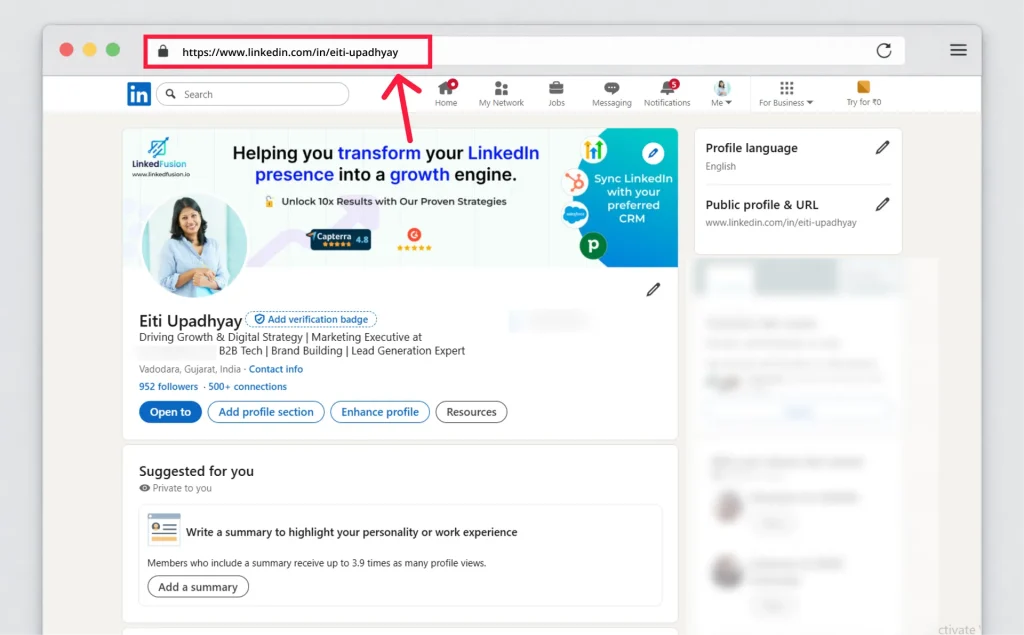
Best Practices to Customize Your Profile URL for SEO
- To customize your profile correctly:
- Use your real name or brand
- Avoid symbols or numbers
- Keep it short
- Align with your headline
- Make sure it’s easier to share
A well-chosen custom url helps Google understand your profile and improves discoverability.
LinkedIn Profile URL Examples That Get More Visibility
If you’re unsure what format to choose, here are five proven LinkedIn URL examples that help attract profile visitors:
- Full Name
linkedin.com/in/yourname
→ Clean and ideal for professionals - Full Name + Job Title
linkedin.com/in/yourname-marketing
→ Useful for job seekers and consultants - Full Name + Company
linkedin.com/in/yourname-company
→ Best for founders and executives - Full Name + Industry Keyword
linkedin.com/in/yourname-saas
→ Helps associate your profile with a niche - Brand or Personal Project Name
linkedin.com/in/brandname
→ Great for creators, podcasts, or newsletters
These custom urls support clarity and credibility and help your linkedin profile page rank better.
How to Share Your LinkedIn Profile URL Properly
Once your URL is customized, sharing it correctly is just as important.
You can share your LinkedIn profile url in multiple ways:
1. Add it to your email signature
Including your LinkedIn profile URL in your email signature allows contacts to connect with you effortlessly.
2. Share it in LinkedIn messages
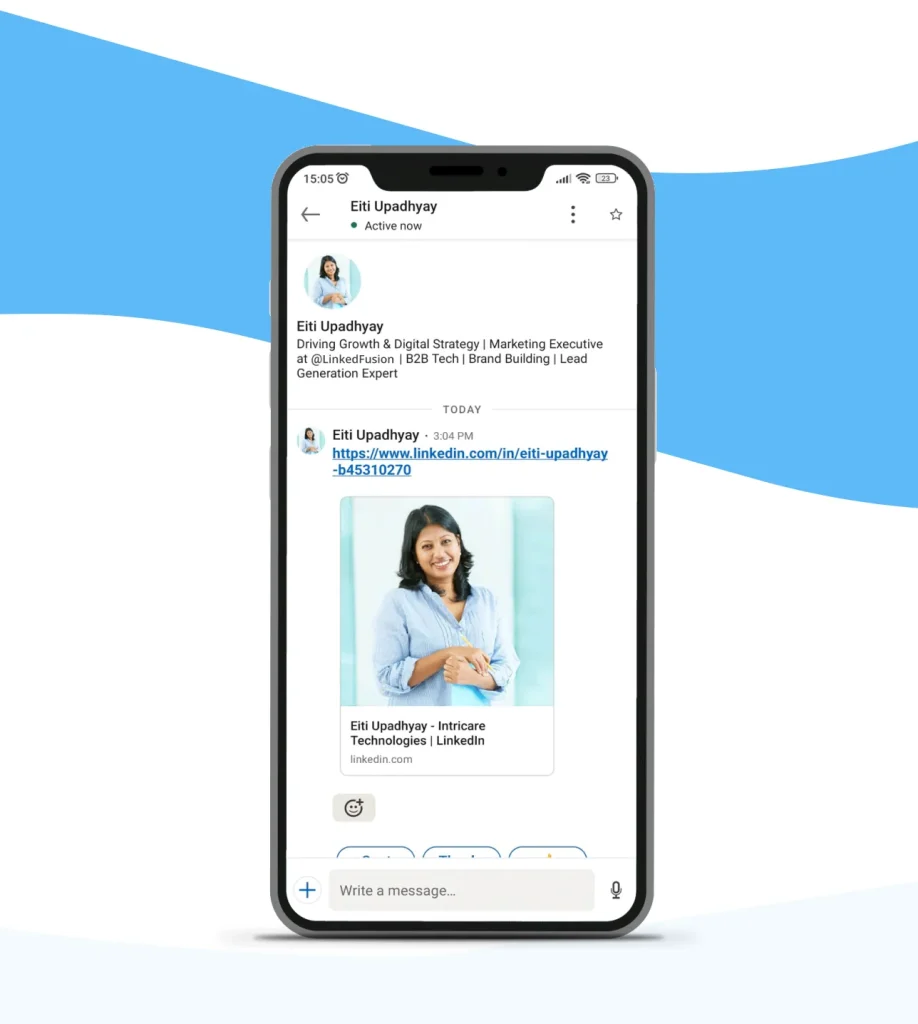
You can paste your link when you send profile in a message, making it easier for new connections to view your profile.
3. Use it on resumes and websites
Adding your LinkedIn URL on your resume or portfolio increases trust and makes your profile easier to access.
These methods make your profile easier to share and help expand your professional reach.
LinkedIn Company Page URL vs Personal Profile URL
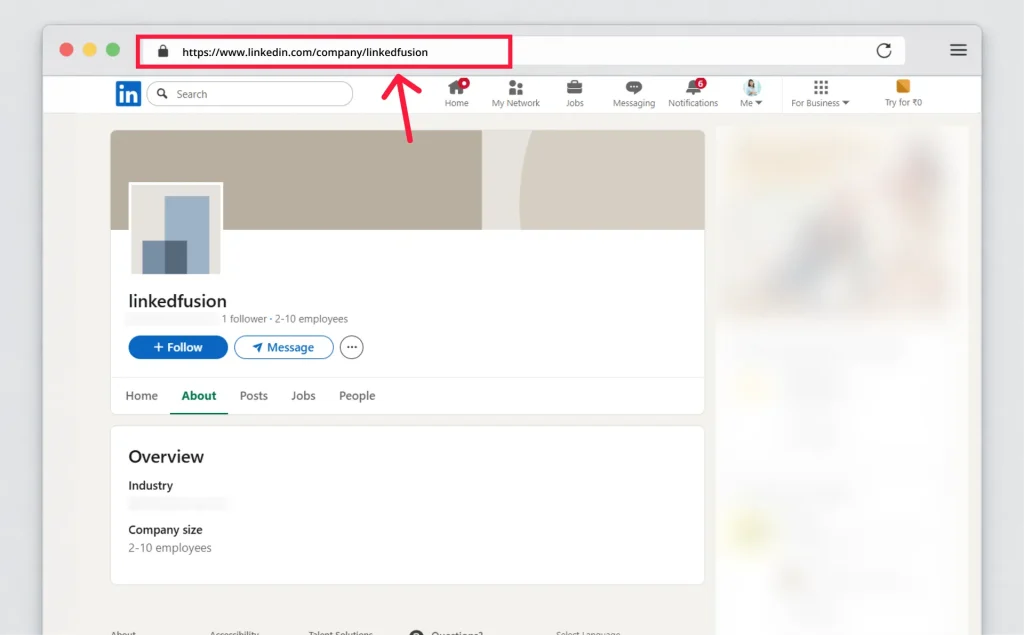
A LinkedIn company page has its own page url, which can also be customized if you’re an admin. However, this is different from your personal LinkedIn profile URL.
Both should be clean and professional if you use LinkedIn for branding, sales, or hiring.
FAQs
It’s the public web address of your LinkedIn profile that people use to view your account.
Yes. LinkedIn allows you to customize your LinkedIn profile URL, but with limits.
You can change your LinkedIn profile URL up to five times in six months.
If the url is already taken, add a keyword or variation to create a unique profile.
Conclusion
Your LinkedIn profile URL may seem like a small detail, but it plays a big role in visibility, branding, and accessibility. A clean profile url helps people reach your profile directly, supports your personal brand, and makes your profile more trustworthy.
By learning how to find your LinkedIn profile, how to customize your profile url, and how to share it strategically, you make your professional LinkedIn presence stronger and more effective. Take a few minutes today to optimize it—it’s one of the simplest upgrades you can make.