
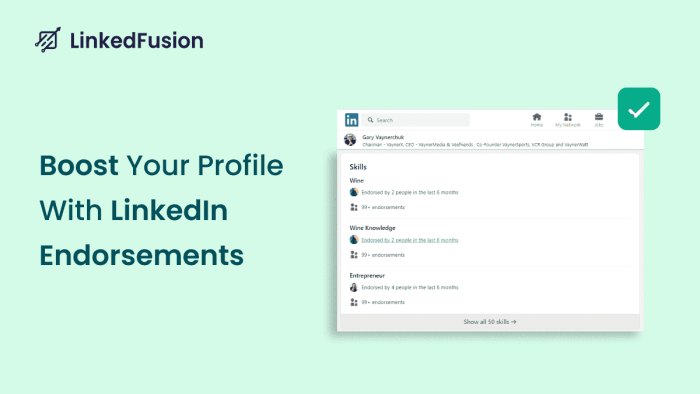

LinkedIn endorsements are a feature where other people you have known are saying that you have the skills you have mentioned on your profile. Once you have updated your skills on your profile, others can click on the “Endorse” option and begin endorsing skills on LinkedIn. If you have got more than 99 endorsements for a specific skill, your credibility gets established.
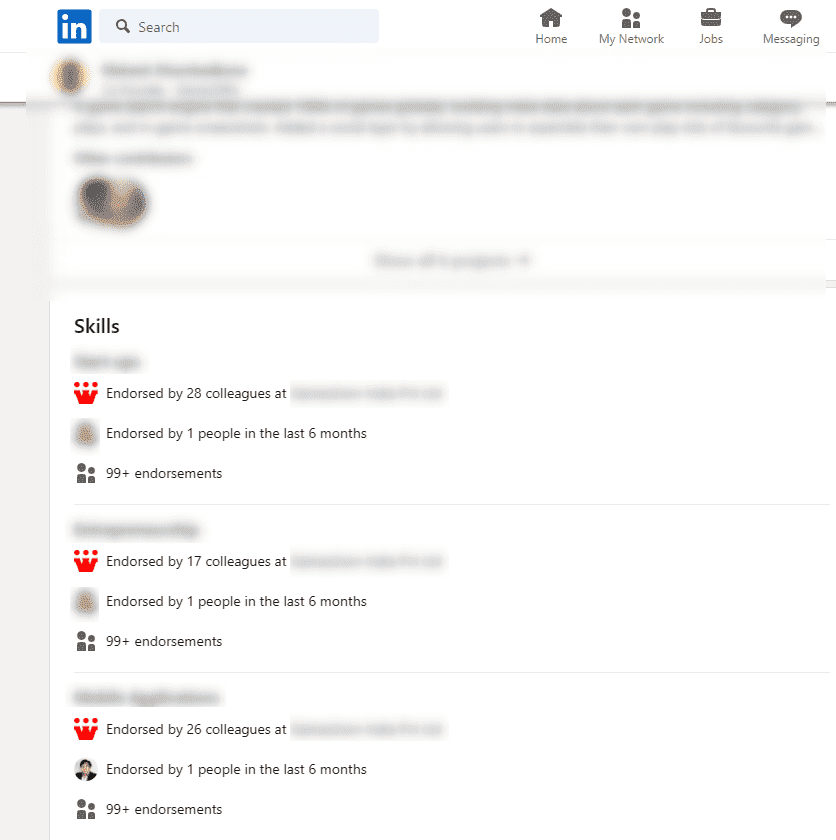
Once someone has endorsed a particular skill you have mentioned on your LinkedIn profile, their name and profile picture appear and show they have endorsed that skill. It is a simple process that adds credibility to your profile and shows that you are a genuine user. Do you want to learn more about how to endorse someone on Linkedin?
Well, once you log in to your LinkedIn account, go to “My Network” at the top of your home page.
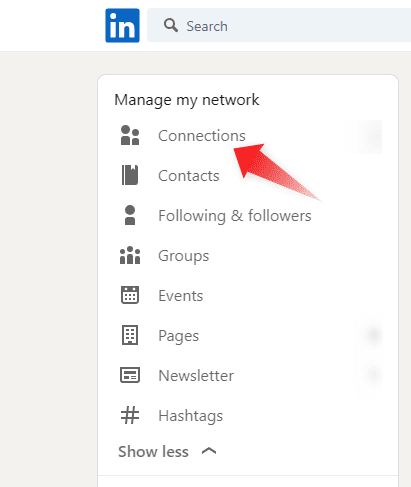
Select “Connections” to begin selecting those in your network you wish to endorse.
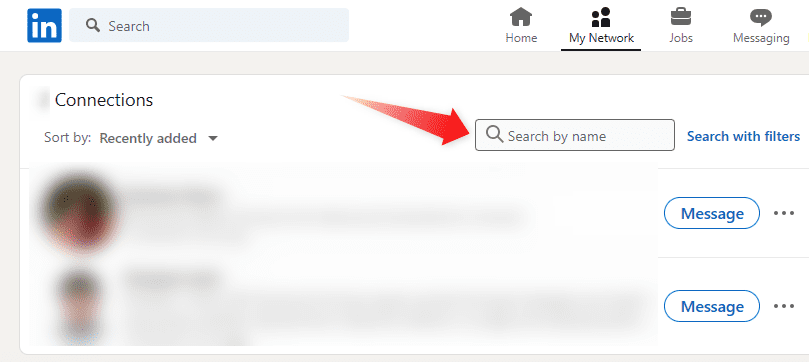
Or you could directly type the name of those people
Go to their “Skills” section to see all the skills they have listed. Now all you have to do is just click on the “Endorse” button.
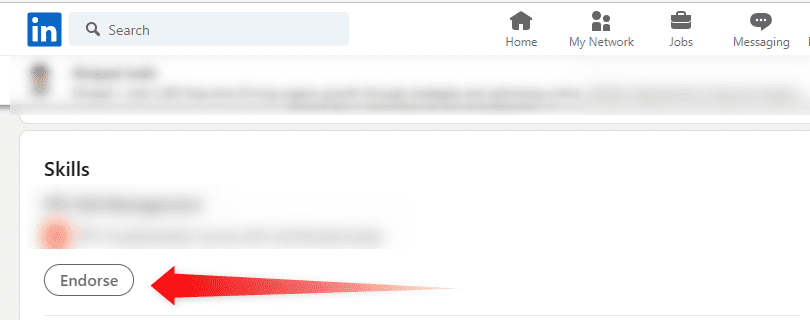
That’s all you have to do. Just a few clicks and you have provided an endorsement to someone.
A Recommendation is a detailed statement where a person can provide details such as by working with you how their experience was or how they benefited. It is a much better and more valuable method of proving you have the skills you claimed. Most people trust recommendations. Usually, it can be written by anyone who has worked with you and has had personal experience with you.
So, what’s the deal between a LinkedIn endorsement and a recommendation? Think of it like this: Endorsements are the fast food of LinkedIn—quick, easy, and effective, while recommendations are more like a fancy dinner—you’ve got to put in some time, but the payoff is much bigger.
LinkedIn endorsements are great for getting quick recognition for specific skills. They take just a second for someone to endorse you, and boom, you’ve got some credibility. But do endorsements alone boost your profile views? Absolutely. People who have more skills and endorsements tend to show up higher in search results and attract more clicks.
Now, recommendations, on the other hand, are more detailed and personalized. They tell the story of why you’re great at what you do. Endorsing someone on LinkedIn is like giving them a thumbs-up, but writing a recommendation is like writing a mini-essay on why they’re awesome. In terms of profile views, you want both, but endorsements are easier to get and still work wonders.
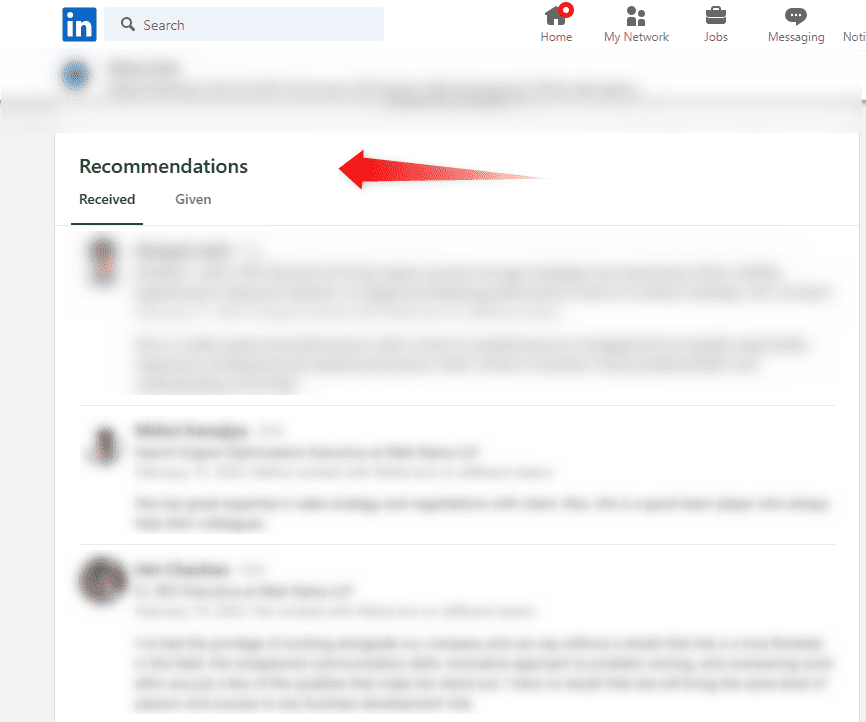
Go to the “Recommendations” section and check the ones you received and the ones you have given.
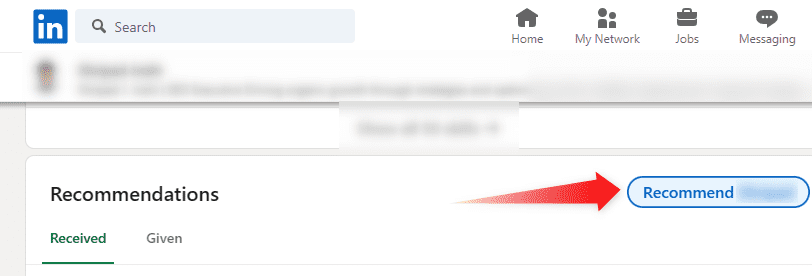
Go to the profile of the person for whom you wish to write a recommendation and click on “ Recommend
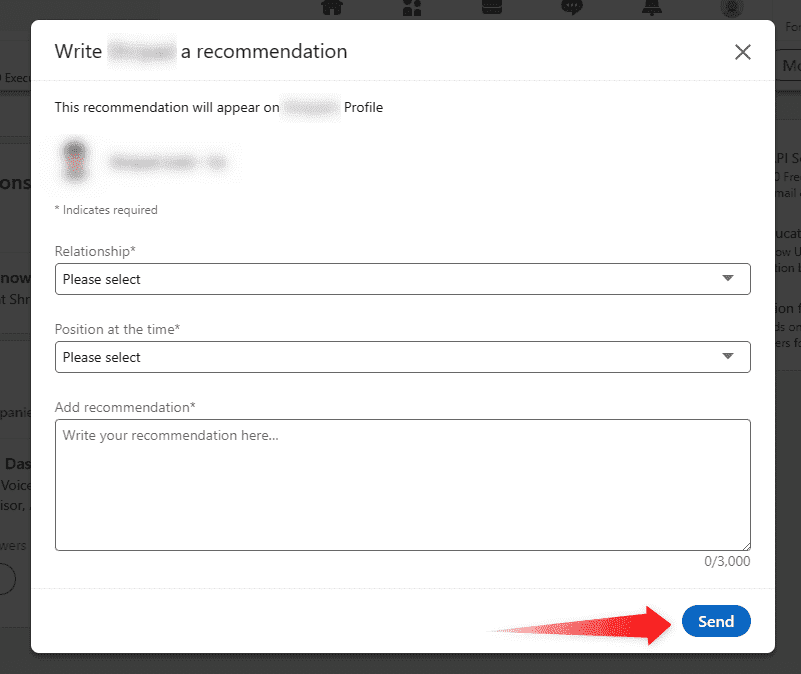
Fill in the form and submit your recommendation by clicking on the “Send” button
While it is surely a personalized and authentic way of proving you have the skills you have mentioned, it has a few drawbacks. Not everyone will have the time to provide you with one. Also, some of your LinkedIn profile visitors may not read the entire content. Hence you can ask people to provide you with them. On the hand, it is much easier to give and get LinkedIn endorsements as all it takes is a few clicks.
Recommendations can cover a wide range of topics but you won’t get to choose which skills they are highlighting. Also, it can also be vague. LinkedIn endorsements are precise and to the point. You get to have control over which skills you want to highlight and delete or hide what you don’t wish to show on your profile.
If you want to establish the credibility of your LinkedIn profile, there are some things that you can do to attract more LinkedIn endorsements to your profile :
1) Complete Your Profile:
The first thing that you should do is complete your profile. Upload a professional profile photo and banner. Fill in all details. Do pay special attention while writing information on your work experience, projects, and skills.
While you have the option of including up to 50 skills, you should add only relevant skills. You can mention any hard or soft skills that apply to you. You have the option of listing 3 skills as your top skills. Add, delete, or rearrange the order in which your skills will appear on your profile
2) Add Top Skills to Your Profile:
This is crucial. Don’t just throw in every skill under the sun. Focus on the top skills that are most relevant to your field. If you’re a marketer, skills like SEO, content marketing, and social selling should be front and center. If you’re into IT, maybe SQL or Adobe Illustrator makes the cut.
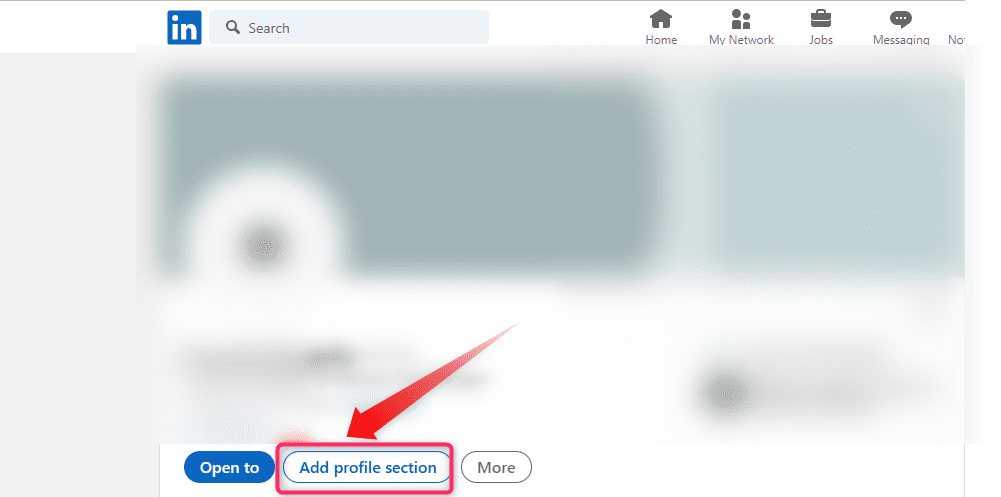
- If you are adding your skills for the first time, go to your profile and click on “Add Profile Section” just below your profile picture.
 Click on “Add Skills” and add all the skills you wish to mention.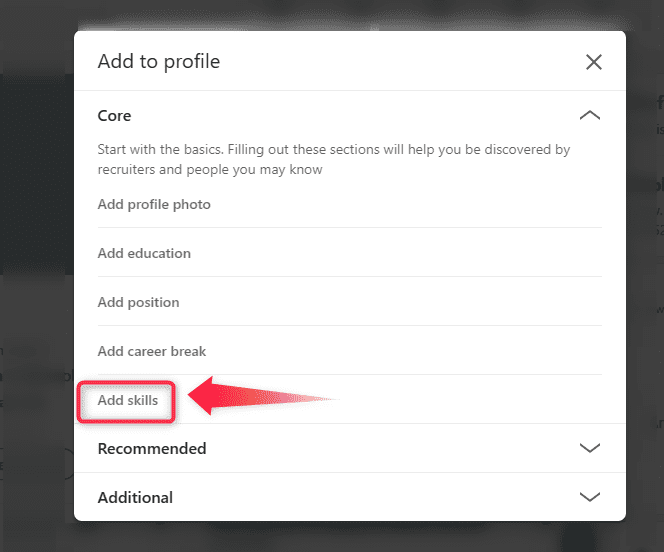
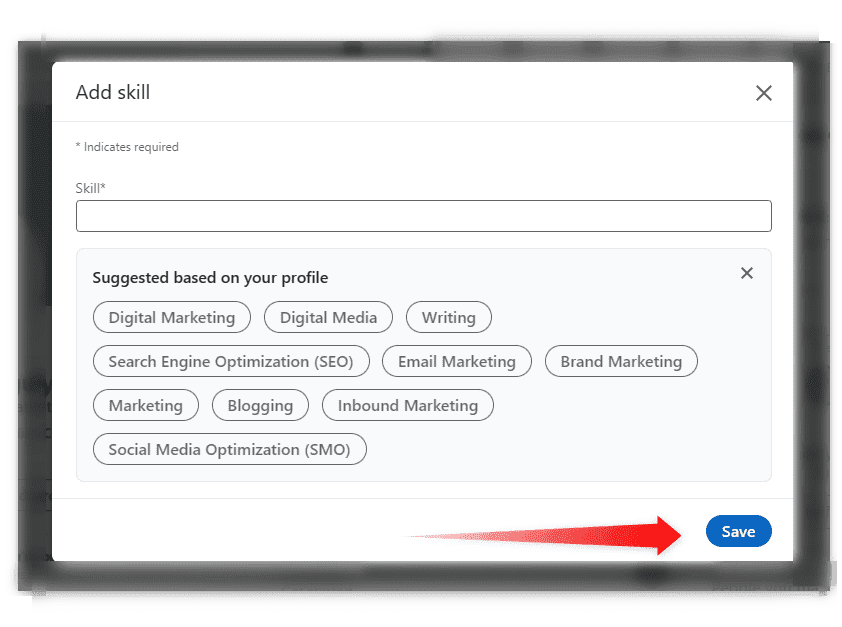
Once you have added all your skills, click on “Save”.
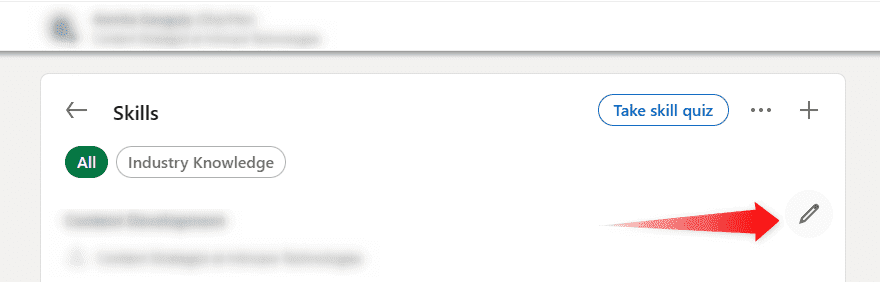
If you wish to make any changes later on, all you have to do is go to the “Skills” section and click on the pencil icon on the top right side.
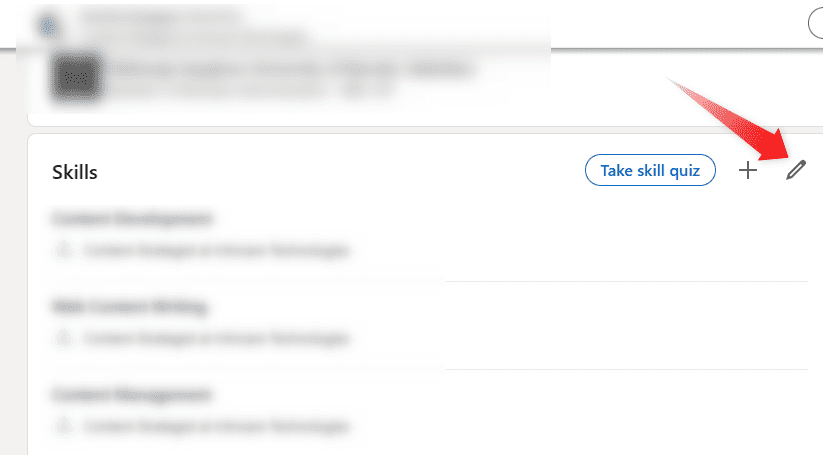
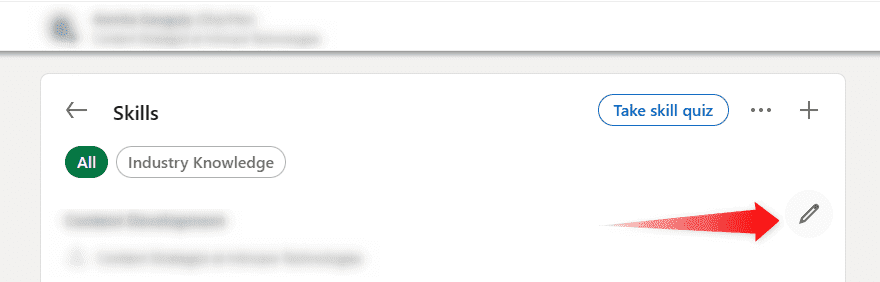
Click on the pencil icon on the right side of the specific skill you want to modify
3) Reordering Your Skills
Got a few skills listed but want to highlight the ones you’re best known for? You can drag and drop them to rearrange your skills so the most relevant skills are at the top. This increases the chances that people will endorse the skills that matter most.
If you want to rearrange your skills, click on the 3 vertical dots and click on “Reorder”
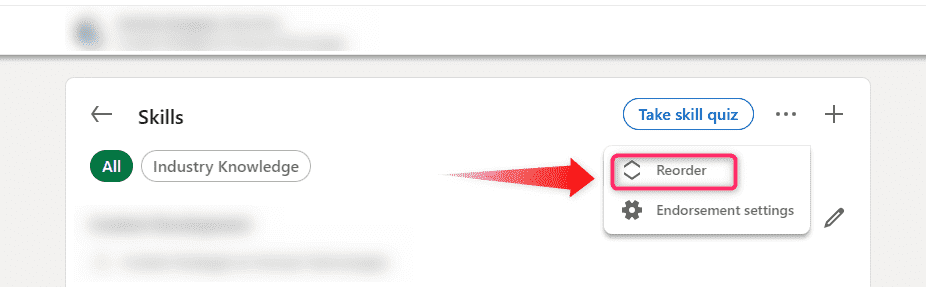
Just start dragging and dropping off various skills by holding onto the horizontal lines beside each skill.

4)Add Keywords to Your Skills
- Remember, LinkedIn endorsements can also help you show up in searches, so think about the keywords recruiters or hiring managers might use. Want to show up in more search results? Sprinkle in those relevant skills.
5) Modify Your Skills
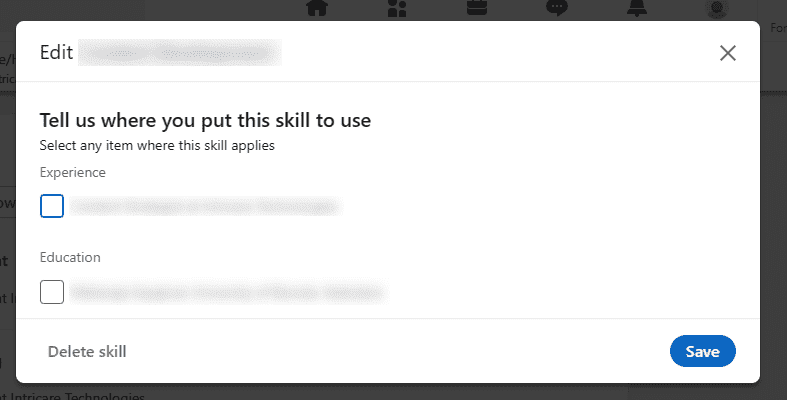
Here you can see the list of all skills you have chosen. You can click on the pencil icon on the right-hand side of each skill to edit or delete that particular skill. You get to choose to describe where you got to demonstrate your skill. Click on the “Save” button once you have made the required changes.
6) Take LinkedIn Skill Assessments
Once you have added all your skills, you can complete the skills quiz to build your credibility on LinkedIn and prove your level of knowledge. Just click on the “Take Skills Quz” button on your skills page.
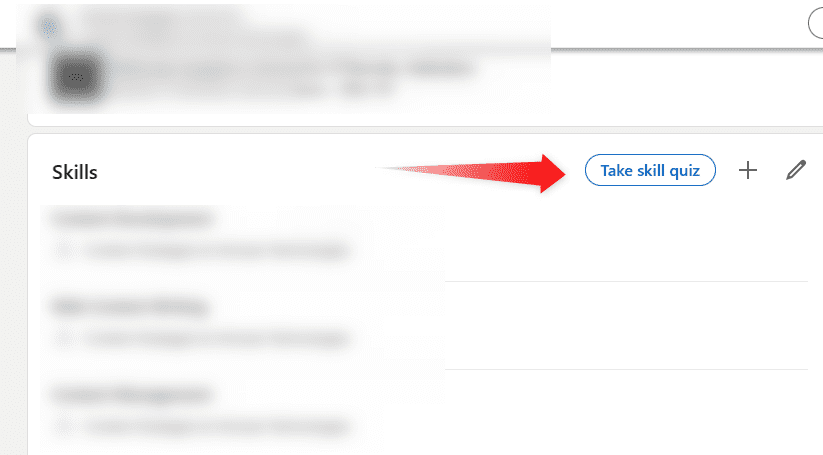
Select the relevant skill assessments as per your requirement. Each of these quizzes consists of 15 multiple-choice questions. Before beginning you can choose to attempt 2 practice questions that will not affect your score.
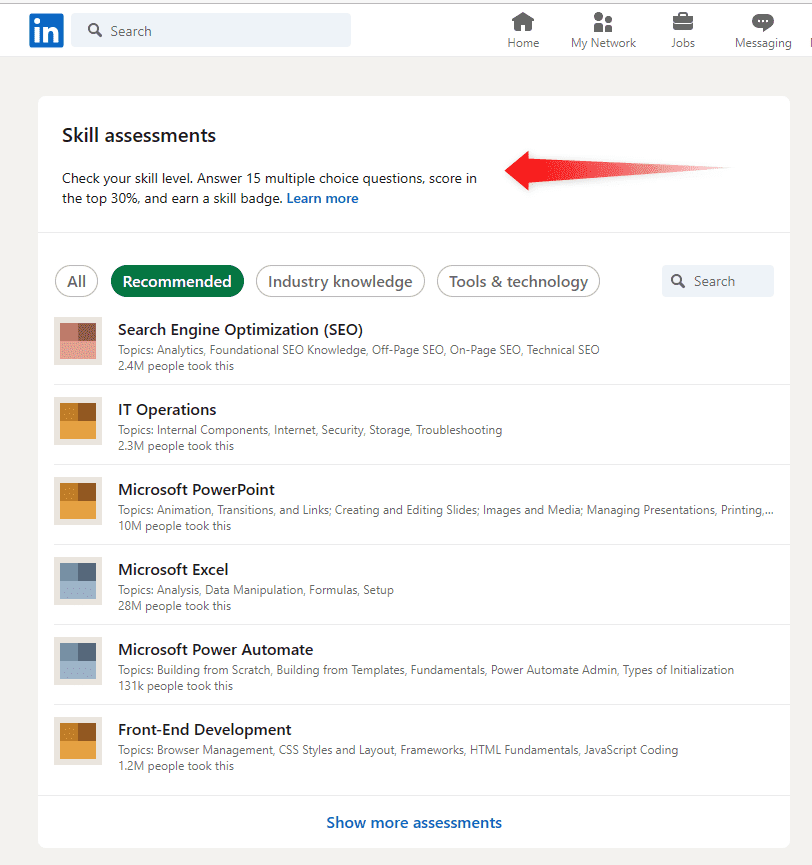
To earn a skill badge, your score will have to be in the top 30% of all the test takers. You can choose to show or hide your test scores and badge if you earn it. If you don’t pass your assessment, you can retake it one more time.
1) Send Connection Requests :
The best way to get LinkedIn endorsements is by growing your network. To do that, you can send connection requests to people relevant to your field. send with people with whom you have worked previously such as your colleagues and clients. like:
It’s a great idea to personalize your messages instead of sending standard template messages. Otherwise, they are likely to ignore or delete your messages
2) Ask Your Connections to Give Endorsements:
The simplest way to directly ask your connections to give you their endorsements. Send a message to them. While doing so, you should be courteous. Also, you need to be aware that not everyone will respond to your request positively. Shoot a private message to connections you’ve worked closely with. Make it personal, like:
“Hey [Name], we worked together on that project, and I was wondering if you could endorse me for [Skill] on LinkedIn?”
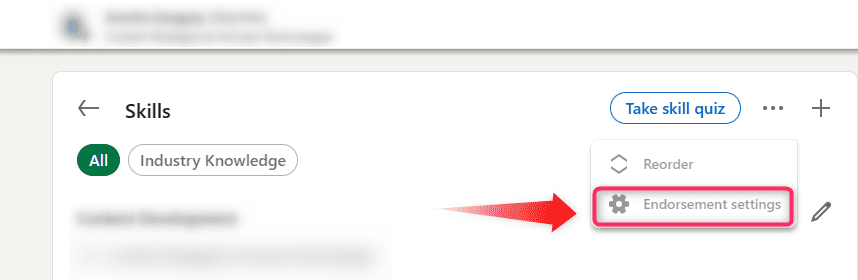
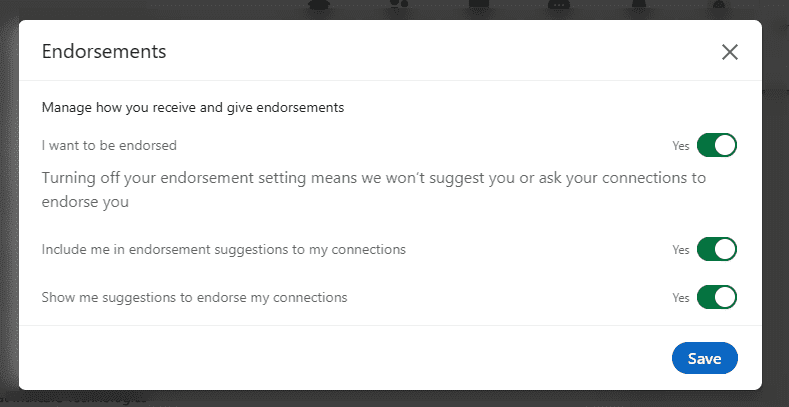
By being genuine, you’ll increase the chances of getting that LinkedIn endorsement, and more importantly, boosting your profile.You can make changes in your endorsements settings as per your requirements. All you have to do is click on the 3 vertical dots and click on “Endorsement settings”.
3) Endorse Others:
If you want others to give you their endorsements, you should also do the same as well. When you are requesting someone to endorse, it is great if you can endorse them first. Follow the steps listed above in the “ How to endorse on LinkedIn? “ section. Remember that they may or may not reciprocate in giving you recommendations.
4) Ask for Recommendations:
If you have recommendations on your LinkedIn profile, it strengthens your credibility as a genuine and skilled professional. You can request people with whom you have already worked with to provide you a recommendation. This can include your current and ex-colleagues, managers, and clients You can later ask them to endorse you as well.
5) Be Active on LinkedIn:
If you wish to get more endorsements, you need to be seen as well. Post engaging and informative content. Like, share, and comment on others’ posts to create more visibility for your profile. Also, by being active on LinkedIn, you can get the opportunity to demonstrate your skills.
6) Showcase Your Skills on LinkedIn to Attract More Skill Endorsements:
People need to see your skills in action before they endorse you. Post about recent projects, share achievements or write articles that showcase your expertise. By putting yourself out there, you’re more likely to get endorsements as others recognize the value you bring.
When your network sees what you’re capable of, they’re more inclined to give you a LinkedIn endorsement, which can naturally lead to more views.
7) Publicly Request LinkedIn Endorsements to Get More Skills Endorsed:
Looking for a broader reach? Post a simple status update asking your network to endorse your skills. Something like:
“Updating my profile—can anyone endorse me for [Skill]? I’d appreciate it!”This kind of public post often attracts attention and encourages people to endorse somebody on LinkedIn without any awkwardness.